How to check the digital signature in a PDF
Open the signed PDF in PDFluent Editor, click "Sign" in the top bar and press "Check signatures". You see each signer's name, the signing time and whether the file is still the same as when it was signed. This is for anyone who gets a signed contract or form and wants to know it was not changed afterwards. The editor is free for everyone, including commercial use, and you do not need an account.
A supplier sends you a signed agreement. Before you file it or sign it back, you want to know two things. Who signed it, and has anyone changed it since? A digital signature can answer the second question, if you check it.
This guide shows how to verify a PDF signature in PDFluent Editor, with the real labels from the app. It explains what each result means, what a valid result does not tell you, and what to do when the check fails.
PDFluent Editor is free for everyone, including at work, and you do not need an account. Version 1.1 is available for macOS and Windows.
Where the editor checks signatures
The signature check sits in the Sign panel. You open it with "Sign" in the top bar. The same panel signs a PDF with your own .p12 or .pfx certificate, and checks the signatures a document already carries. Both happen on your own computer.
The panel has a part for signing, with the certificate file, its password, a field for why you are signing and the button "Sign and save a copy". It also has "Add signature" and "Add initials". You need none of these to check a signature. The check is one button under Signatures.
PDFluent Editor is free, including for commercial use: no licence key, no trial, no tier and no subscription. No account is needed. Download it, open the signed PDF and check it.
Verify a PDF signature, step by step
The steps use PDFluent Editor 1.1.2 on a Mac and an invented two-page services agreement. It was signed with a test certificate in the name of Jane Sample.
Open the signed PDF
Open the file in PDFluent Editor, from the File menu or with a double-click. A bar above the page says "Fillable form" and "Fields: 1 · Click a field to fill it in." That is normal. The signature sits in a form field, so the editor counts it as one. You do not have to fill anything in.
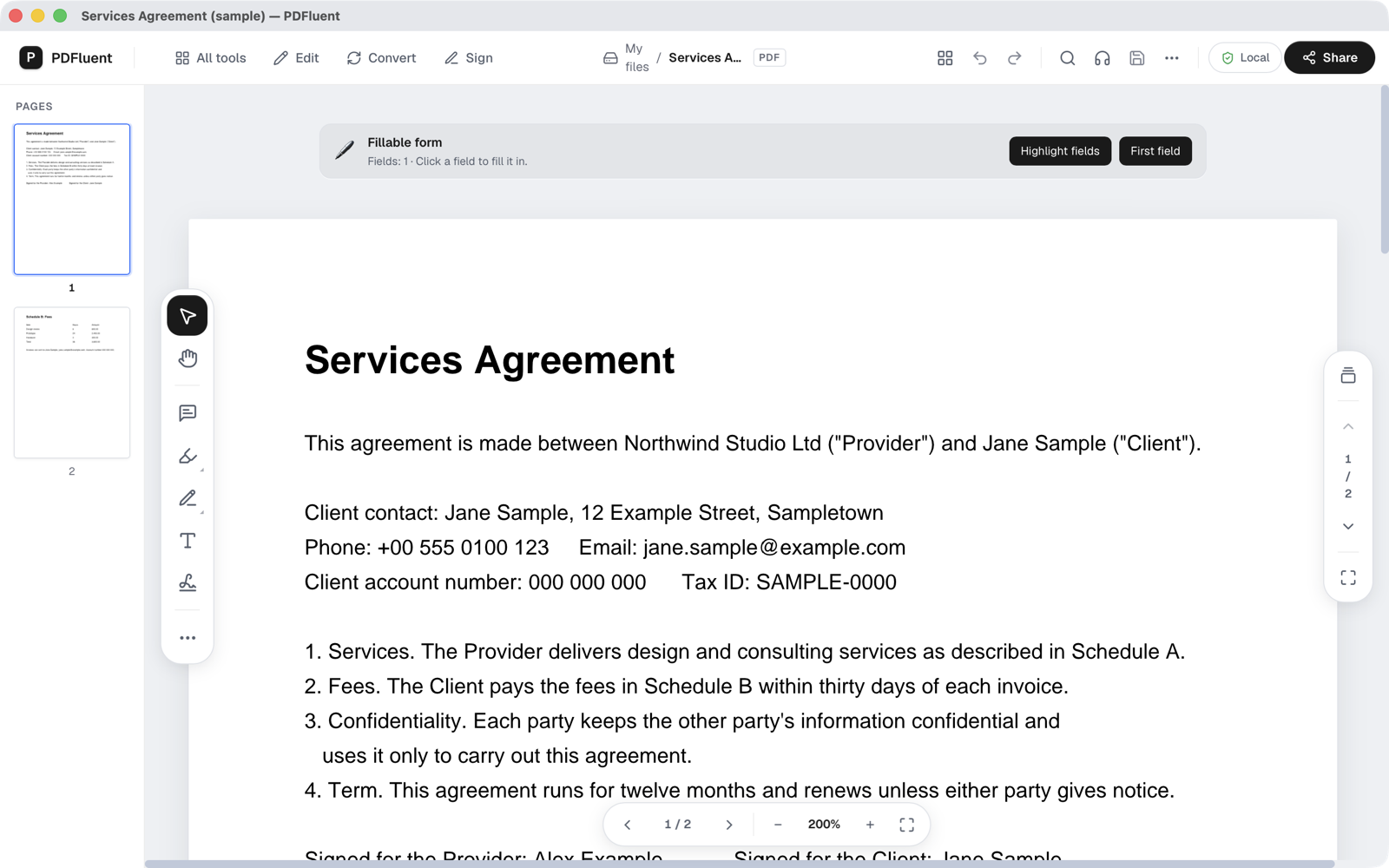
Click Sign in the top bar
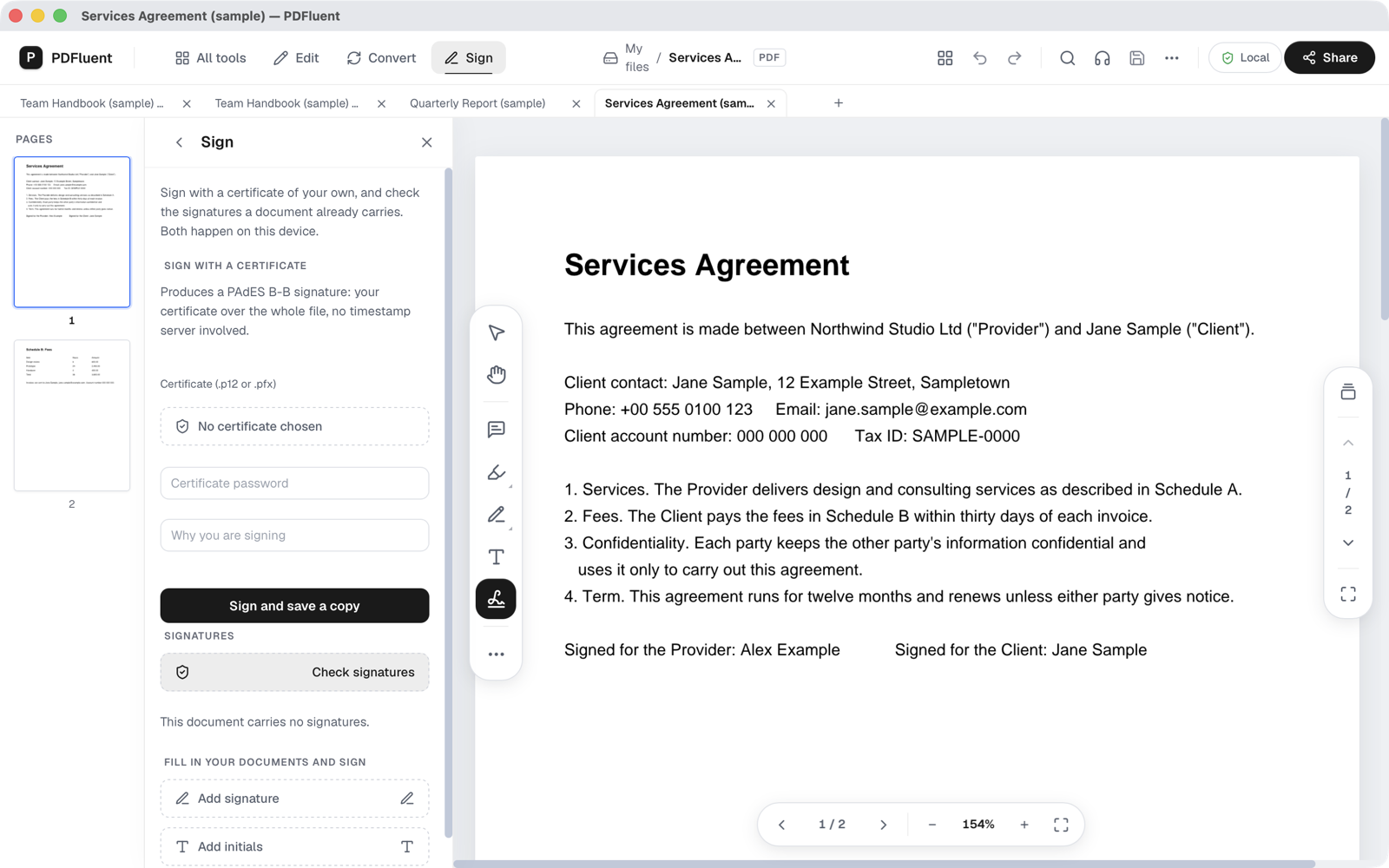
Click "Sign" in the top bar. The Sign panel opens on the left. Under Signatures you see the button "Check signatures".
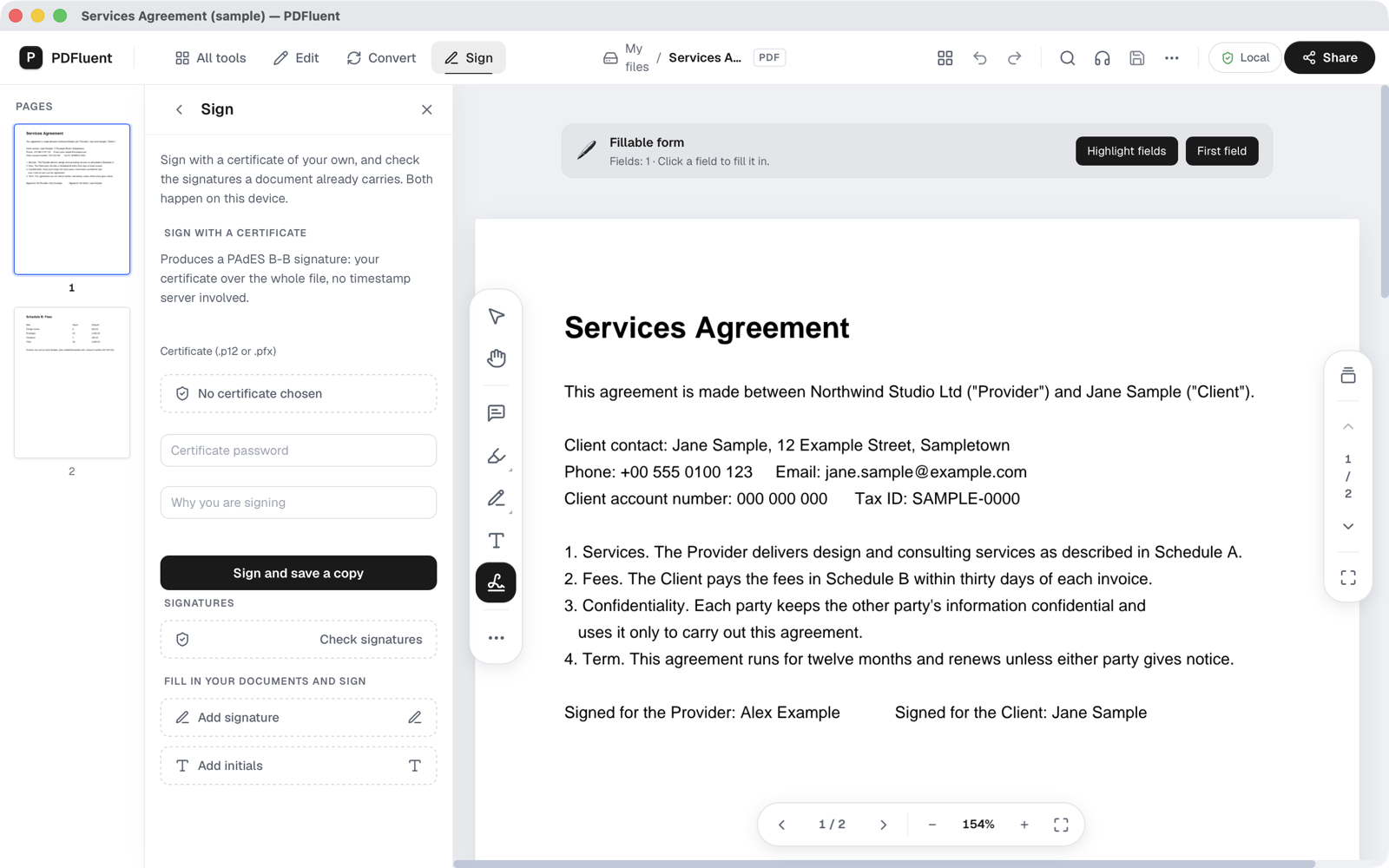
Press Check signatures
Press "Check signatures". The result appears in the panel, one card per signature. A good result has a green check mark, the signer's name, here Jane Sample, and the word valid followed by the signing time.
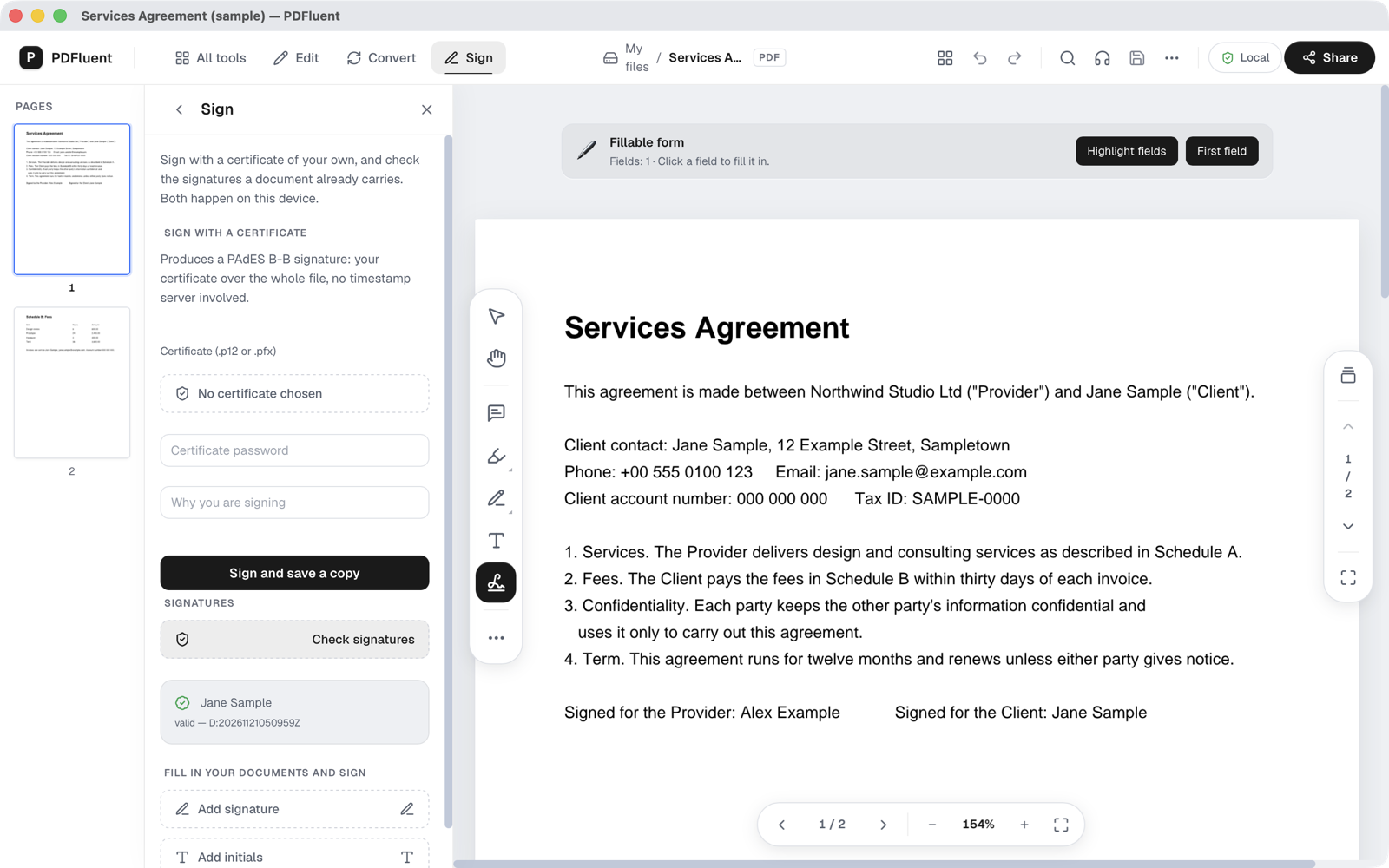
Read the signing time
The time is written in PDF date format, for example D:20261121050959Z. Read it as year 2026, month 11, day 21, then 05:09:59. The Z means the time is in UTC, so add or subtract your own time zone.


What the result means
| Result shown | What it means | What to do |
|---|---|---|
| Green check, name, valid and the signing time | The file is the same as when this signature was made. | Confirm the signer if it matters, then file or use the document. |
| Name with an info icon, "invalid: byte range digest mismatch" and "document modified" | The file changed after it was signed. | Do not rely on this copy. Ask the sender for the original file. |
| "This document carries no signatures." | The PDF has no digital signature. A drawn or typed name on the page is not one. | Ask the sender for a digitally signed version if you need one. |
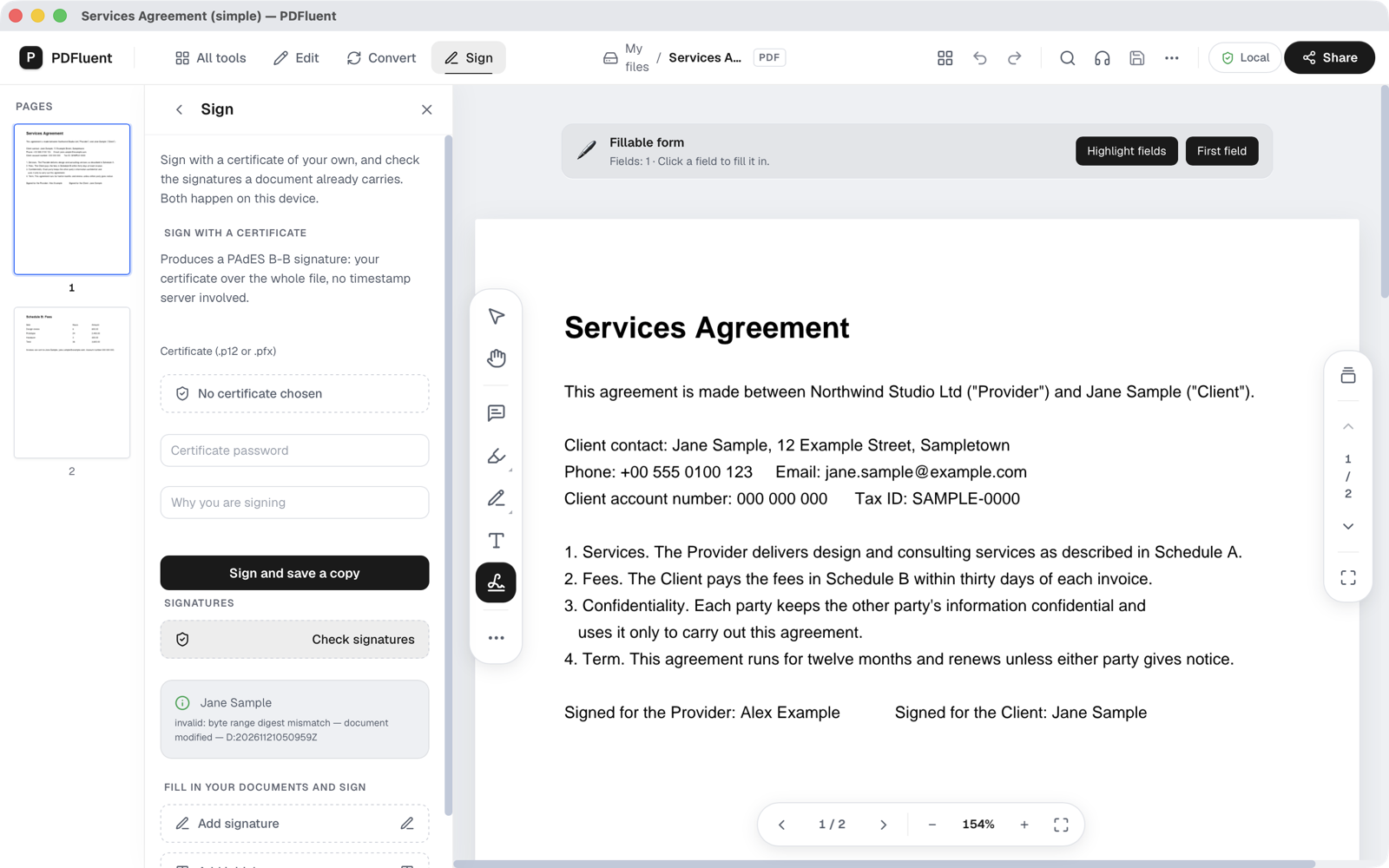
To test the failed case, we made a copy of the signed agreement and changed one word in its title in the document properties. Nothing on the page changed. The check then showed Jane Sample with an info icon, "invalid: byte range digest mismatch", "document modified" and the signing time.
A copy that changed after signing
The signature covers the bytes of the file as they were at signing. When those bytes no longer match, the editor reports a digest mismatch. Even a small change that you cannot see on the page breaks the match.
A PDF without a signature
On an unsigned copy of the same agreement, "Check signatures" shows "This document carries no signatures."


PDFluent Editor is free for everyone, including commercial use, and your documents stay on your computer.
What it does and does not do
- It shows each digital signature in the PDF with the signer's name and the signing time.
- It tells you whether the file is still the same as when each signature was made.
- It does not change the file. No asterisk appears in the title and there is nothing to save.
- A valid result does not prove who the signer is. Our test certificate was self-made and the check still said valid. Valid means the file has not changed since signing. It does not say whether the certificate belongs to the person it names, or whether a trusted authority issued it.
- In our test the result did not show the reason the signer typed when signing.
- It does not sign the document. To sign a PDF yourself, see the guide on signing a PDF with your own certificate.
If a lot depends on who signed, confirm it through another channel. Call the person, or check with the company that sent the file, before you act on it.
How to check it worked
- You see one result card for each signature in the document. A contract signed by two people shows two cards.
- Each card shows a name. Check it is the name you expect.
- Each card shows the signing time. Check it fits what you know, for example the day the contract was sent.
- If any card does not say valid, treat the whole file as changed and ask for the original.
Free, and on your own computer
PDFluent Editor is free for everyone, at home and at work, including commercial use: no licence key, no trial, no tier and no subscription. No account is needed. Version 1.1 runs on macOS and Windows.
On a Mac, documents are processed on your computer and the editor works without an internet connection. The signature check runs on your own machine.
Frequently asked questions
Does valid mean the person is who they say they are?
No. Valid means the file has not changed since the signature was made. It does not tell you whether the certificate belongs to the person it names. When that matters, confirm the signer through another channel, for example by phone.
Why does a signed PDF say Fillable form?
The signature sits in a form field, so the editor counts it as one field and shows "Fillable form" with "Fields: 1". You do not have to fill anything in to check the signature.
Can I check a PDF signature without Adobe?
Yes. Open the PDF in PDFluent Editor, click "Sign" in the top bar and press "Check signatures". The editor shows each signer's name, the signing time and whether the file changed after signing.
What does byte range digest mismatch mean?
The bytes the signature covers no longer match what was signed. The file changed after it was signed, even if the page looks the same. Ask the sender for the original file.
Does checking a signature change my file?
No. The check only reads the file. No asterisk appears in the title and there is nothing to save.
Is it free, and do I need an account?
It is free for everyone, including commercial use: no licence key, no trial, no tier and no subscription. No account is needed.
Keep reading
Building software? Get the SDK.