How to convert a PDF to a PowerPoint presentation on your computer
Open the PDF in PDFluent Editor, click "Convert" and choose "Microsoft PowerPoint", then press "Export" and save the .pptx file. This is for anyone who has a report or handout as a PDF and wants to present it or reuse its pages as slides, and the editor is free for everyone, including commercial use, with no account.
You have a PDF and a meeting where it needs to be on a screen. Maybe you want to cut a page, add a title slide or type notes under each page. PowerPoint lets you do that, and a PDF does not.
This guide shows how to convert a PDF to PPTX in PDFluent Editor 1.1, with the labels exactly as the app shows them. On macOS, the conversion runs entirely on your device.
Convert a PDF to PowerPoint, step by step
The steps use PDFluent Editor 1.1 on a Mac and a six-page sample report. The export writes a new presentation and leaves the PDF untouched.
Click Convert and choose Microsoft PowerPoint
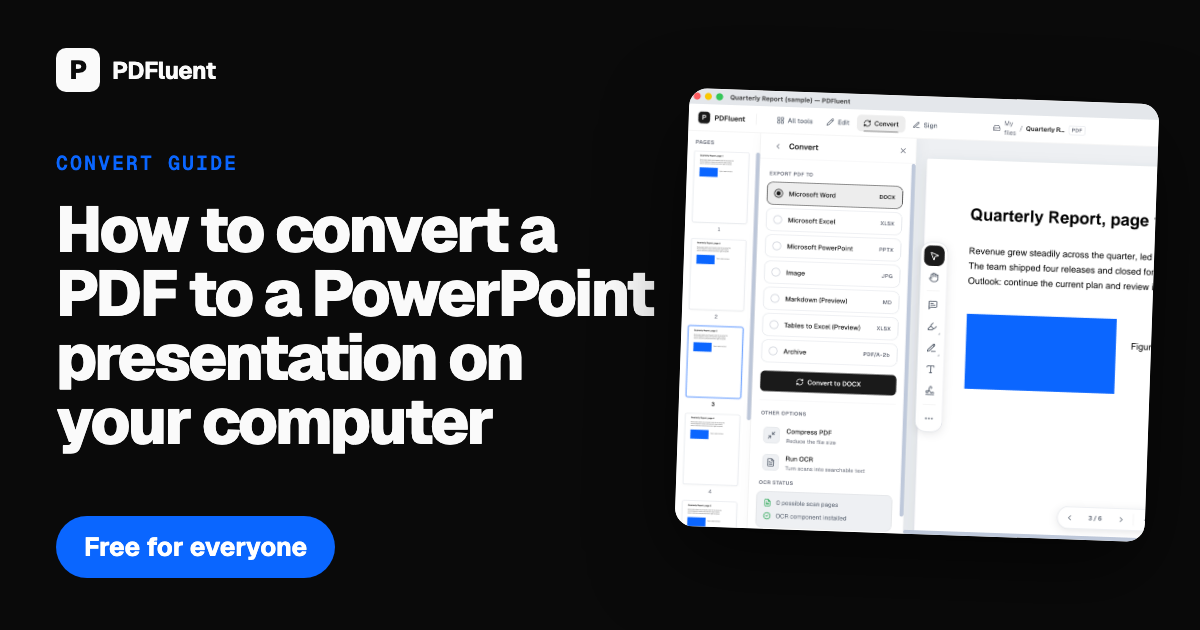
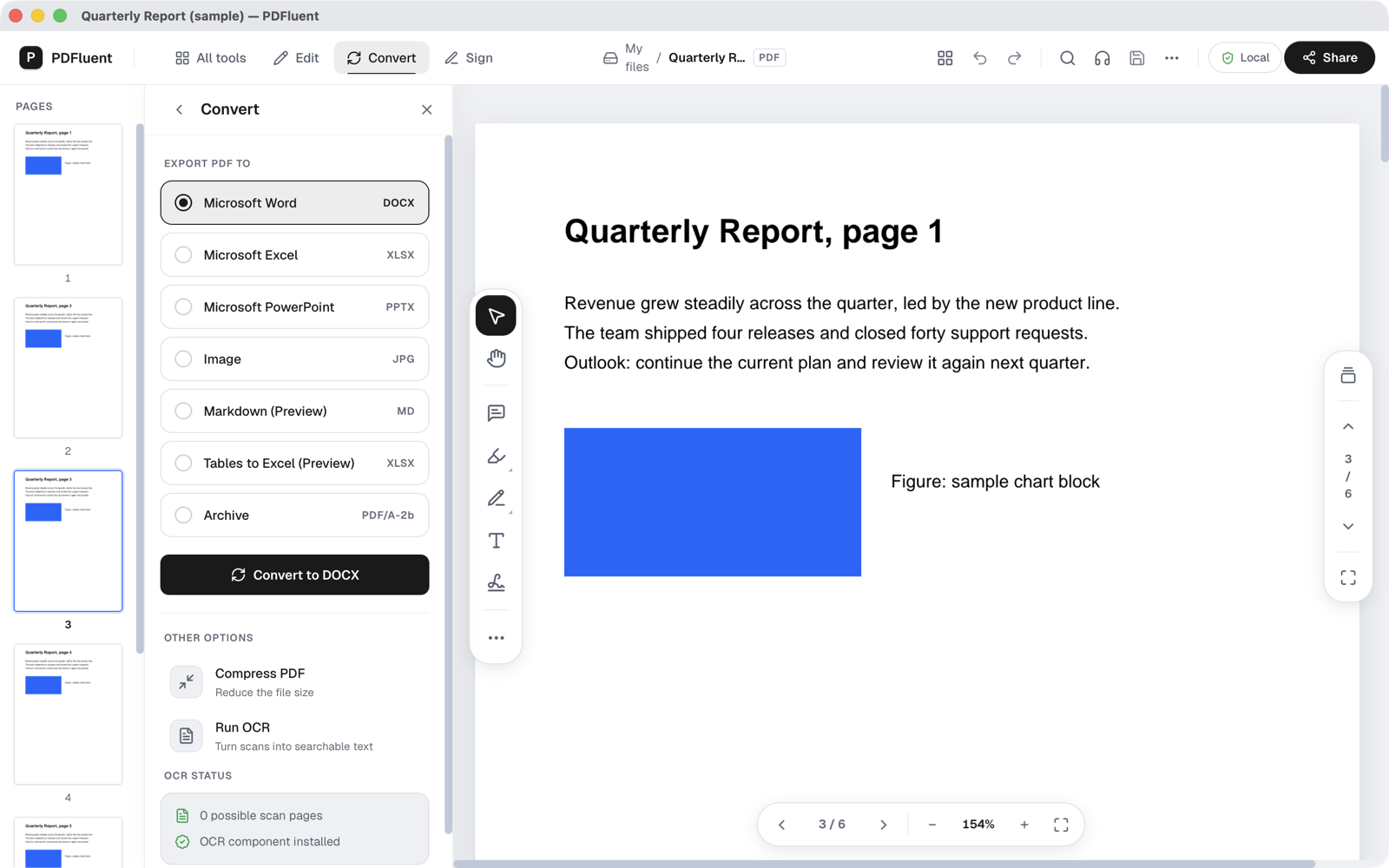
Open the PDF and click "Convert" in the top bar. The panel lists the formats under EXPORT PDF TO. Click the "Microsoft PowerPoint" row, marked PPTX.
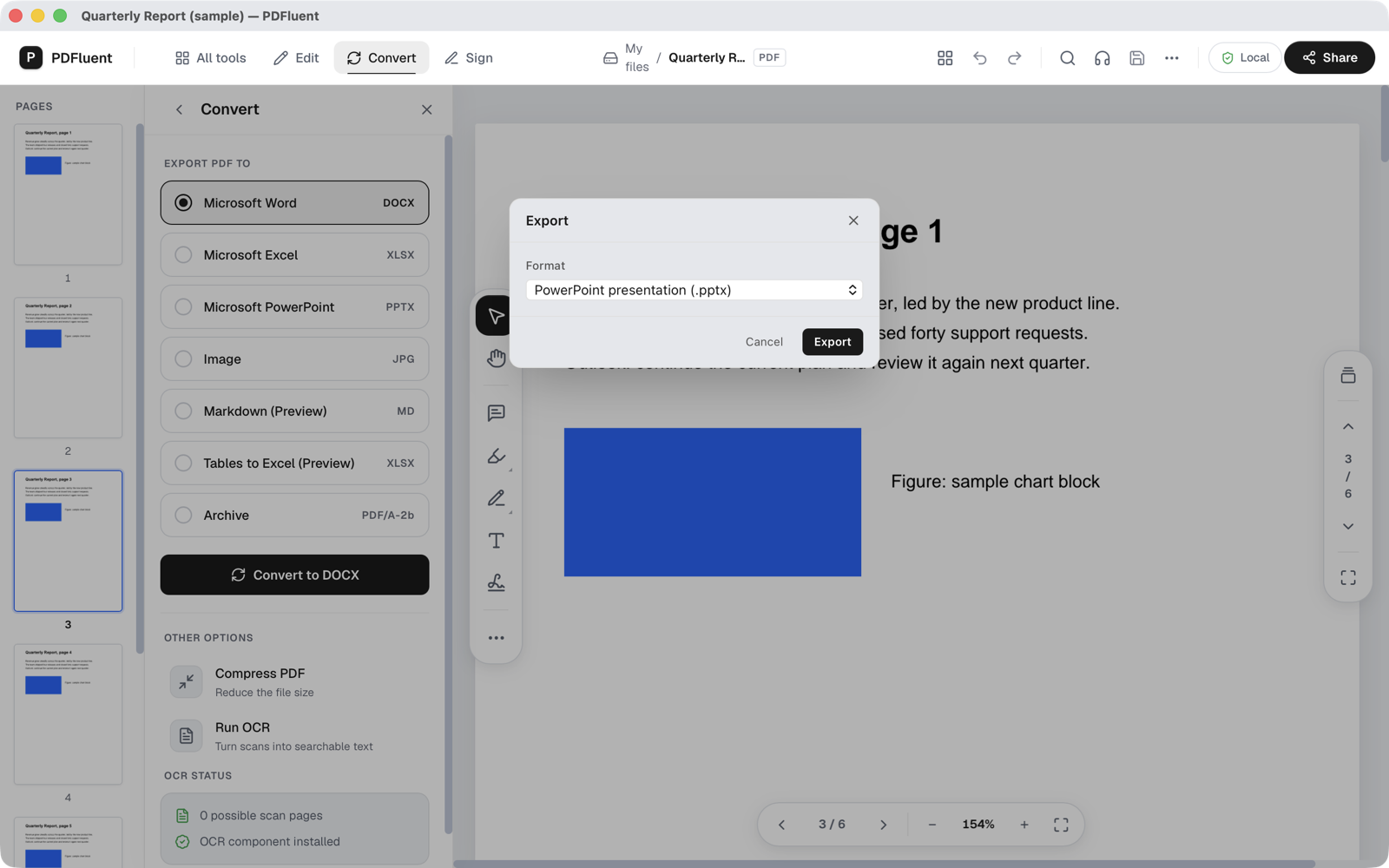
Press Export
The "Export" window opens straight away. The format reads "PowerPoint presentation (.pptx)". Press "Export" to go on, or "Cancel" to stop.
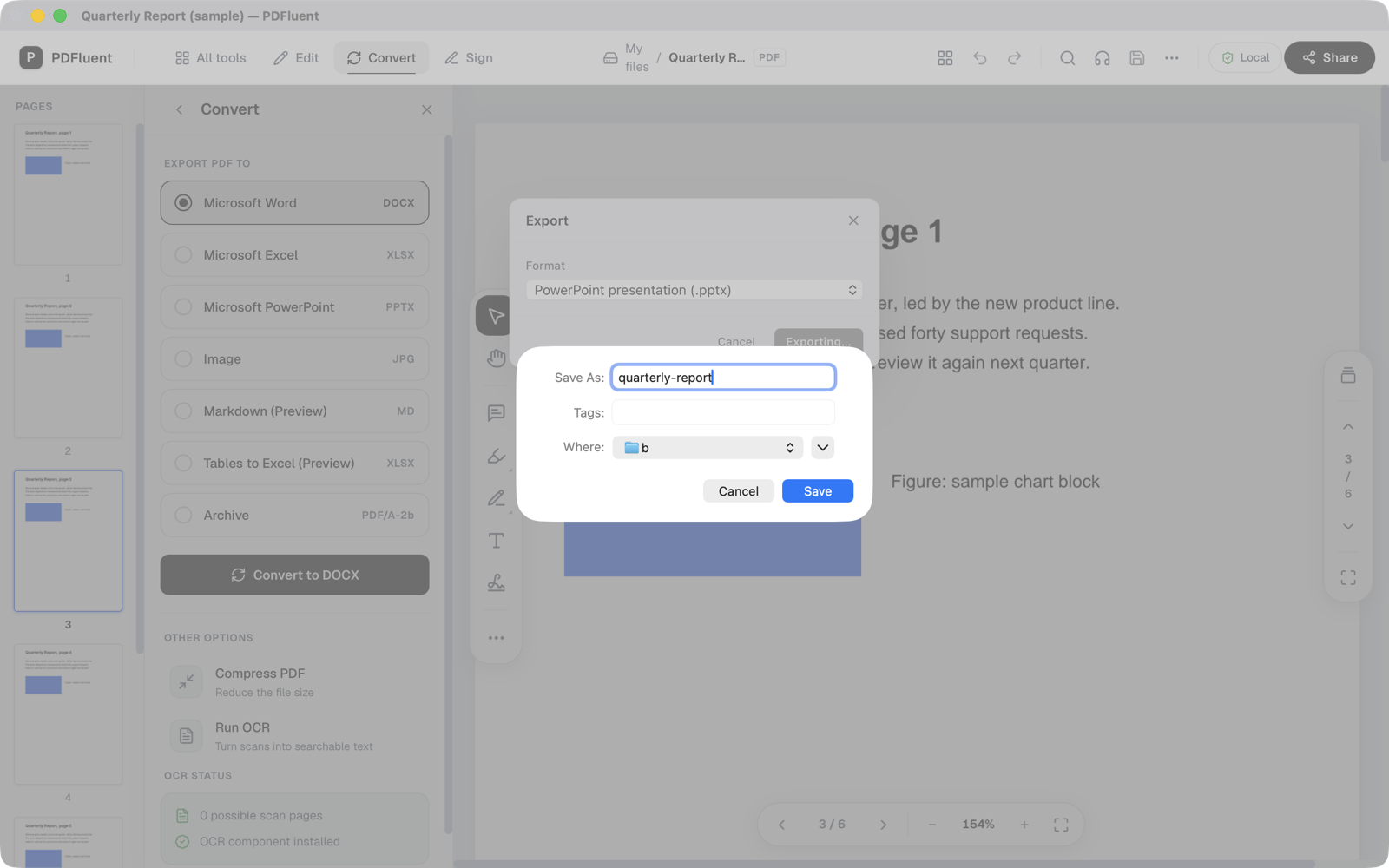
Name the presentation and save it
Your Mac shows its save window. Type a name, pick a folder and press Save. The editor adds .pptx to the name and writes the file to that folder.
PDFluent Editor is free for everyone, including commercial use. There is no licence key, no trial and no subscription, and you do not need an account.
PDFluent Editor is free for everyone, including commercial use, and your documents stay on your computer.
What it does and does not do
- In our test the six-page sample came out as a presentation of six slides, one per page. The page text arrived as text you can edit on the slide.
- It goes one way only. It turns a PDF into PowerPoint and does not turn a presentation back into a PDF.
- It does not promise that a slide looks the same as the page it came from. Columns, tables and pictures may sit in different places.
- A scanned PDF is a picture of text, so there is nothing to turn into editable text. Run OCR on it first; OCR is built into the editor, covers six languages and needs nothing extra to download.
On macOS, your documents never leave your device, and PDFluent Editor works without an internet connection.
How to check the slides
- Open the .pptx file in your presentation app and count the slides against the pages of the PDF.
- Click into the text on a slide. If you can type in it, the words came across as text.
- Run the slideshow once from start to end. Anything that moved or overlaps, fix it in your presentation app before the meeting.
Frequently asked questions
How do I convert a PDF to PowerPoint for free?
Open the PDF in PDFluent Editor, click "Convert", choose "Microsoft PowerPoint" and press "Export". Then name the file and save it. The editor is free for everyone, including commercial use, and needs no account.
Does every page become a slide?
That is what happened with our six-page sample: six pages gave six slides. Count the slides in your own file to be sure.
Can I edit the text on the slides?
In our test the page text came through as editable text. A scanned PDF has no text layer, so make it searchable with OCR first.
Can I turn a PowerPoint file into a PDF with it?
No. This export goes from PDF to PowerPoint only.
Is my PDF changed when I convert it?
No. The editor writes a new .pptx file in the folder you choose and leaves the PDF as it was.
Keep reading
Building software? Get the SDK.