How to add a text watermark to every page of a PDF
Open the PDF in PDFluent Editor, go to "All tools", then "Watermark", type a short word and press "Apply watermark". The text goes diagonally across every page, and it is only in the file after you save. The editor is free for everyone, including commercial use.
A contract goes out for review and should not be mistaken for the signed version. A report is for internal eyes only. A copy is meant as a copy. A watermark puts that message on every page, where nobody can miss it.
This guide shows how to add a watermark to a PDF in PDFluent Editor 1.1. It covers the exact steps and labels, why a short word works better than a long one, the "Opacity" setting, and how to check the result before you send the file.
PDFluent Editor is free for everyone, including at work, and you do not need an account. Version 1.1 is available for macOS and Windows.
When a watermark helps, and what this one does
Use a watermark when every page should carry the same visible label. Common cases are DRAFT on a document that is not final, CONFIDENTIAL on a file for a small group, and COPY on a duplicate of an original.
In PDFluent Editor, the tool is "Watermark". You find it under "All tools" in the group "Content & security", with the subtitle "Text across all pages". It places one line of text diagonally across every page of the document, over the page content. You choose the text and the opacity.
| Tool | What it does | When to use it |
|---|---|---|
| Watermark | Places a visible line of text across all pages, over the content | To label a file as a draft, confidential or a copy |
| Redact | Removes content from the file | When sensitive information must not be in the file at all |
| Protect | Sets or removes a password | When the file should need a password to open |
PDFluent Editor is free for everyone, including commercial and business use. There is no account to create. Download it, open the PDF you want to mark and start.
Add a watermark to a PDF, step by step
The steps below use PDFluent Editor 1.1 and a 2-page sample agreement. The goal is to put the word DRAFT on both pages.
Open the file
Open the PDF in PDFluent Editor. If it asks for a password, type the password to open it first.
Choose Watermark
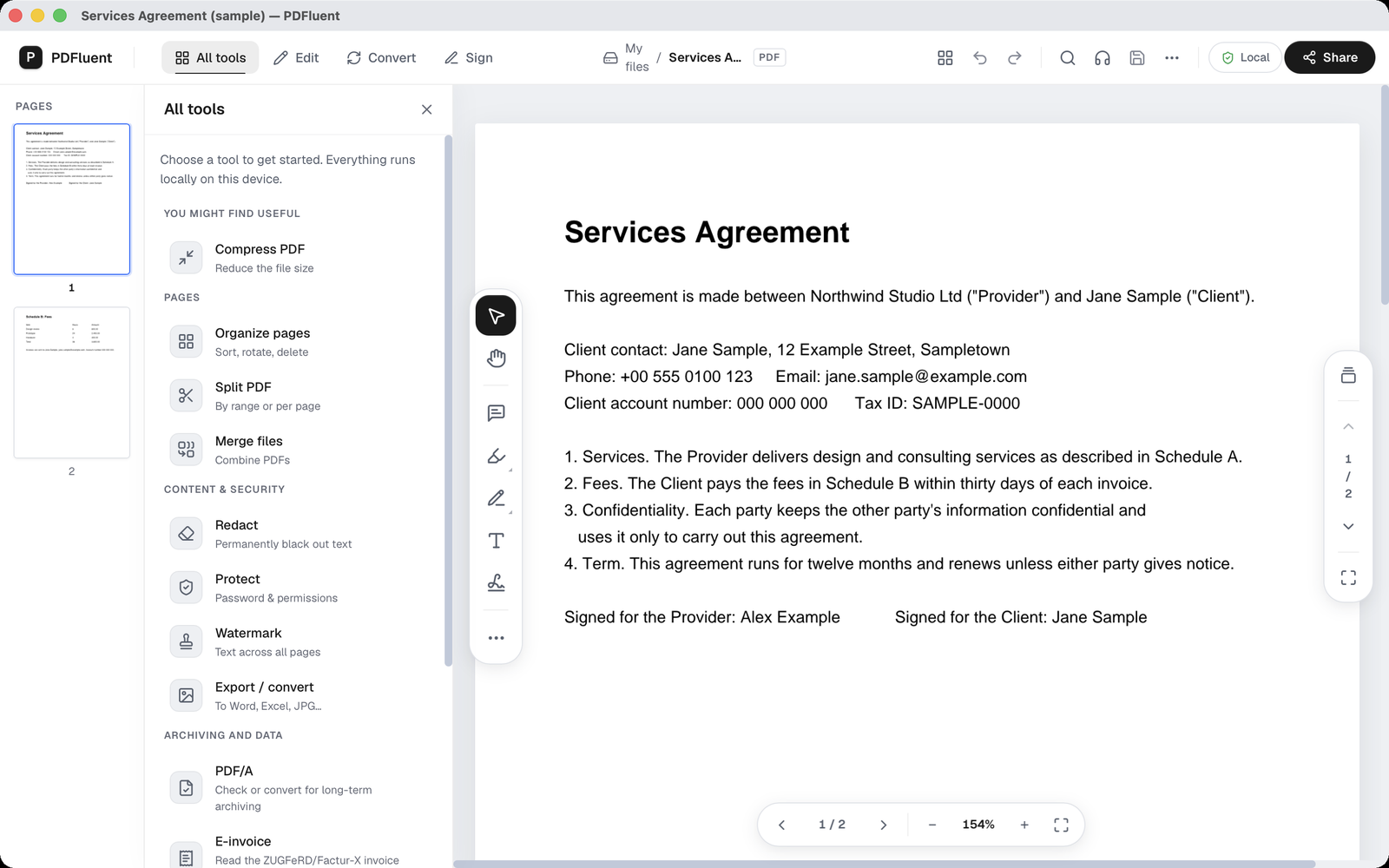
Open "All tools". Under the group "Content & security", choose "Watermark", with the subtitle "Text across all pages".
Look at the panel
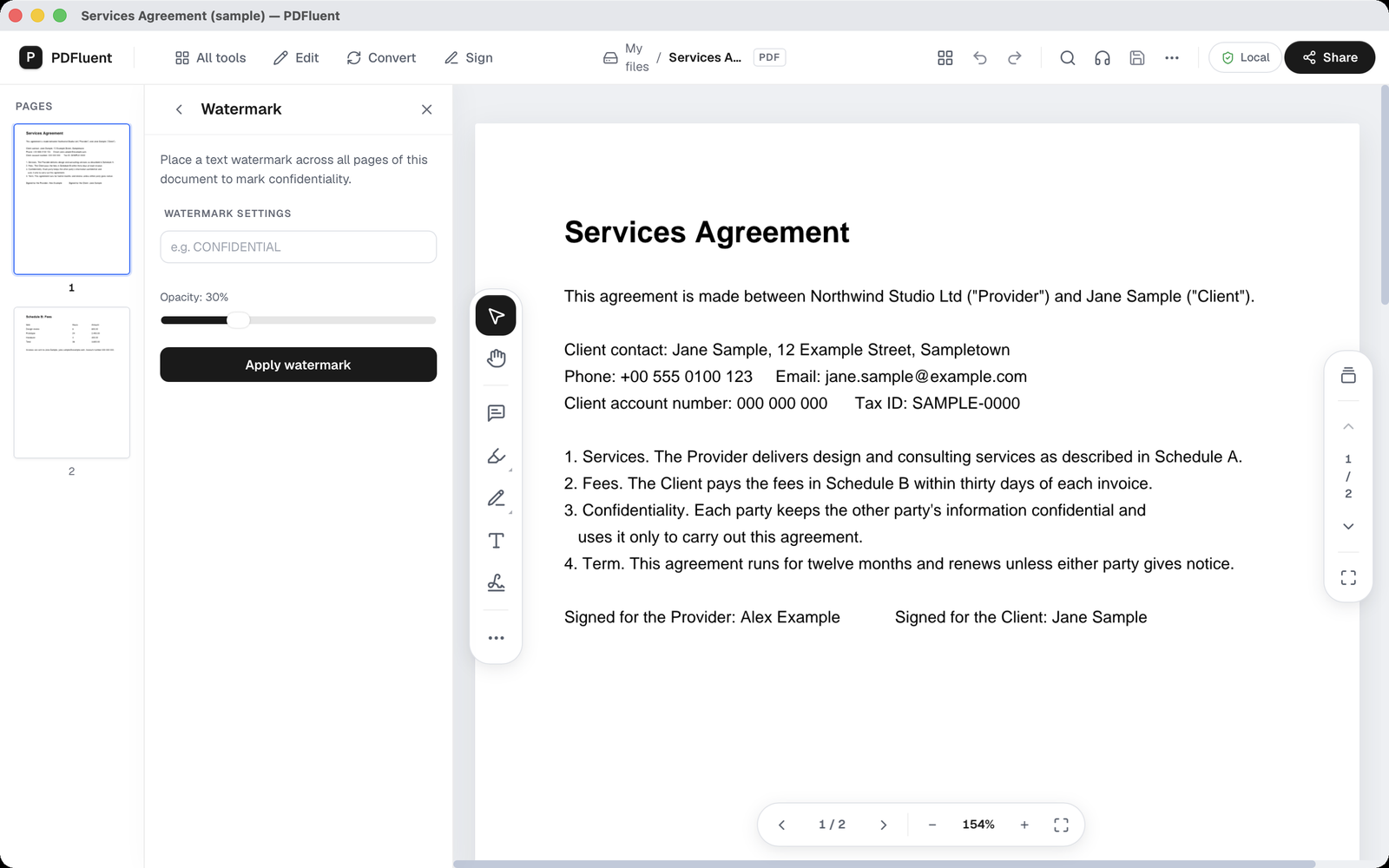
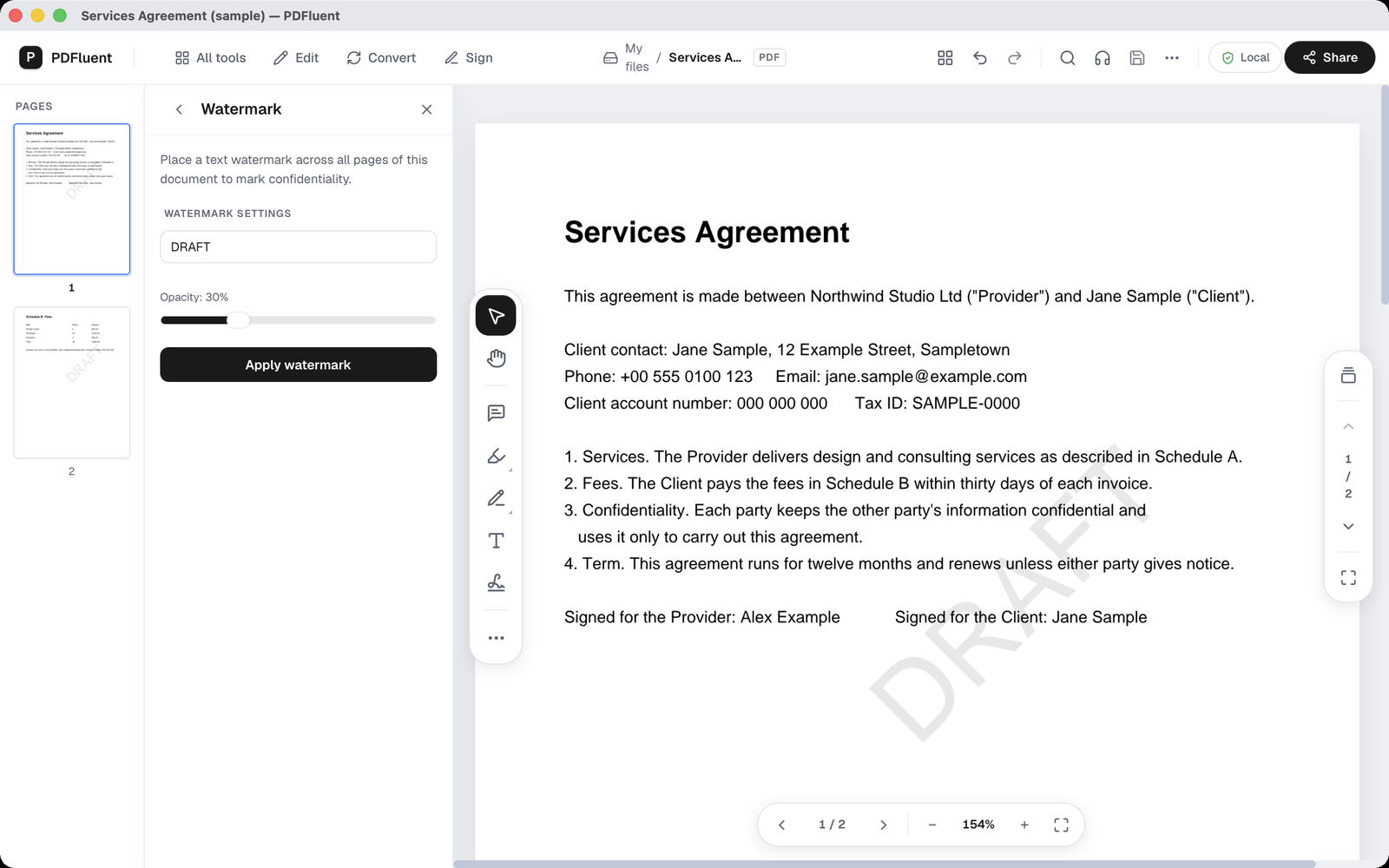
A panel "Watermark" opens with the text "Place a text watermark across all pages of this document to mark confidentiality." Below it, "Watermark settings" has a text field, an "Opacity" slider set to 30 percent, and the button "Apply watermark".
Type the text
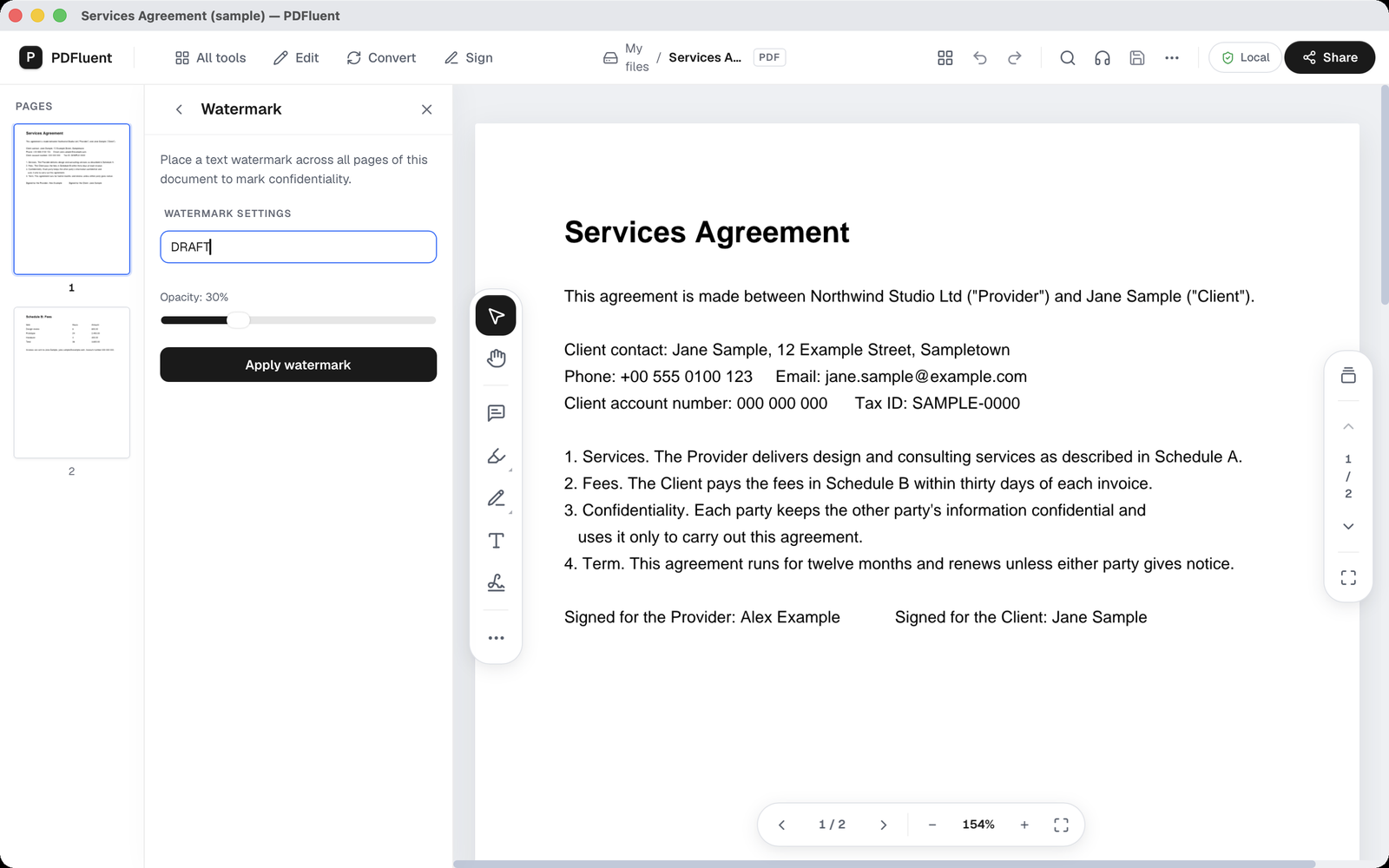
Click the field with the placeholder "e.g. CONFIDENTIAL" and type a short word, here DRAFT. Leave "Opacity" at 30 percent, or move the slider if you want the mark lighter or darker.
Apply and check the page
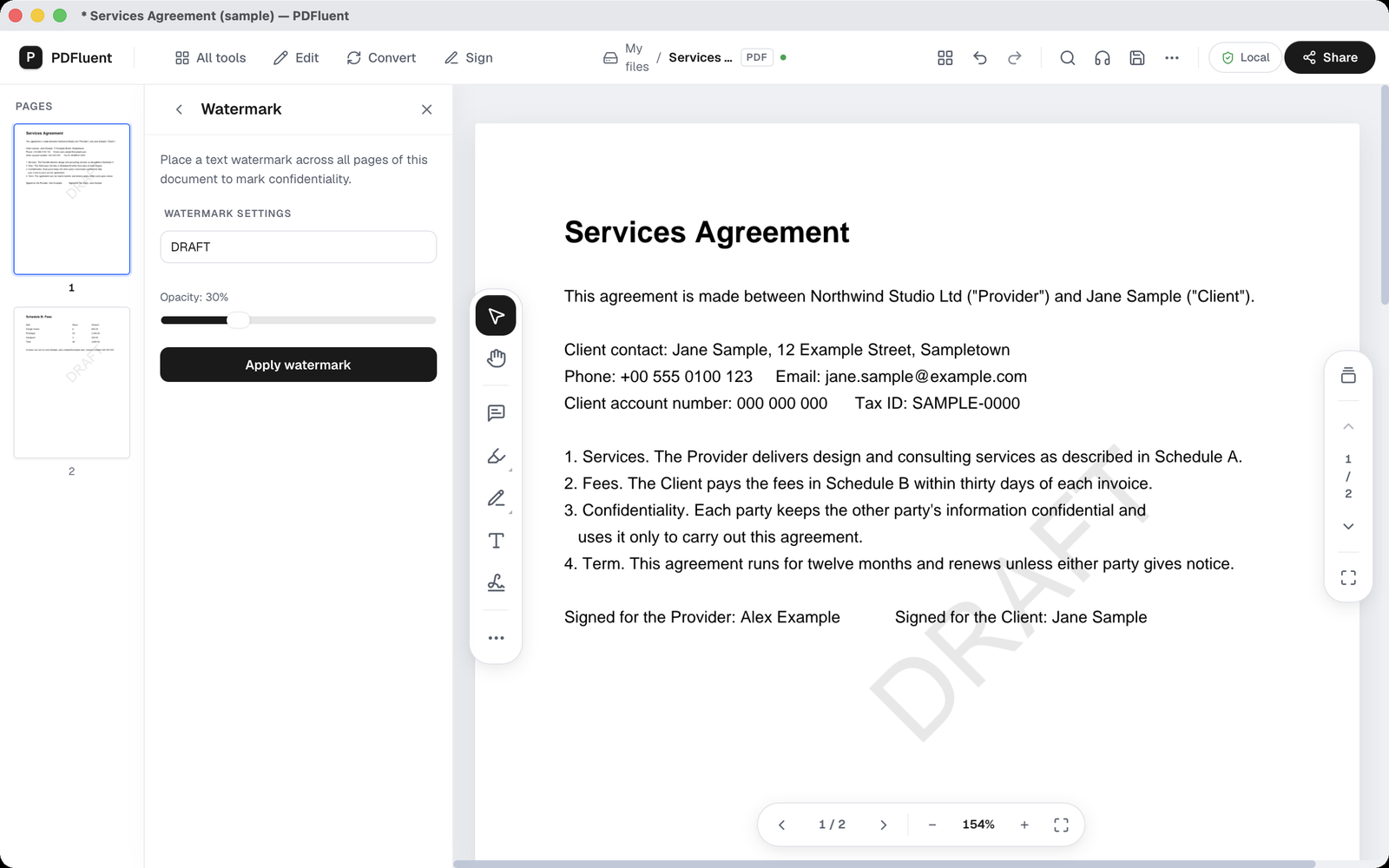
Press "Apply watermark". A large light-grey DRAFT runs diagonally across the page. Check that the whole word fits on the page. The title bar now shows an asterisk, which means the file has unsaved changes.
Save the file
Save the file. Only then is the watermark in the file. After saving, the asterisk in the title bar disappears. In the test, both pages of the saved file carried the word DRAFT.
PDFluent Editor is free for everyone, including commercial use, and your documents stay on your computer.
What to know before you start
- The watermark is text only. This panel has no option for an image or a logo.
- It is one line of text, placed diagonally. There is no setting for position or angle.
- A long word can run past the page edge. In a test, CONFIDENTIAL had its ends cut off at the edge, while DRAFT fitted. Prefer a short word and check the page.
- The watermark goes over the page content. At 30 percent opacity, the text underneath stays readable.
- It is applied to all pages. This panel has no way to pick single pages.
- The watermark becomes part of the saved file. Keep a copy of the original before you save.
- A watermark is a visible mark, not a security measure. It does not stop anyone from copying the text. To remove sensitive information, use redaction instead.
How to check the result
Check the watermark before you send or store the file.
- Look at page 1. The whole word should sit on the page, with no letters cut off at the edge.
- Go to the last page. It should carry the same watermark. In the example, page 2 shows DRAFT as well.
- Read a few lines under the watermark. They should still be readable.
- Send a copy to yourself and open it there, so you see the file the way a reader will.
- Keep the original file without the watermark in a safe place.
If the word is cut off or too strong, open your copy of the original, apply a shorter word or a lower opacity, and save again.
Free, and on your own computer
PDFluent Editor is free for everyone, at home and at work, including commercial use. No account is needed. Version 1.1 runs on macOS and Windows.
On macOS, documents are processed on your computer and the editor works without an internet connection. On a Mac, the file you mark stays with you.
Frequently asked questions
How do I add a watermark to every page of a PDF?
Open "All tools", then "Watermark". Type your text in the field with the placeholder "e.g. CONFIDENTIAL" and press "Apply watermark". The text is placed on every page. Then save the file.
Can I choose the opacity?
Yes. The "Watermark settings" section has an "Opacity" slider. It starts at 30 percent, which keeps the text under the watermark readable.
Can I add an image watermark?
Not in this panel. The "Watermark" tool places text only, in one diagonal line.
Why is my watermark cut off?
A long word can run past the page edge. In a test, CONFIDENTIAL had its ends cut off, while DRAFT fitted. Start again from your copy of the original and use a shorter word.
Does a watermark protect my document?
No. A watermark is a visible label and does not stop anyone from copying the text. To remove sensitive information from the file, use redaction. To require a password, use Protect.
Is it free to use at work?
Yes. PDFluent Editor is free for everyone, including commercial and business use, and you do not need an account.
Keep reading
Building software? Get the SDK.