PDFluent Editor 1.1 is a desktop PDF editor that is free for everyone, including at work, and you do not need an account to use it [B01, 2026-08-19].
Version 1.1.0 is available to download for macOS from pdfluent.com. The Windows download stays on 1.0.0 until Windows 1.1.0 follows.
What it is
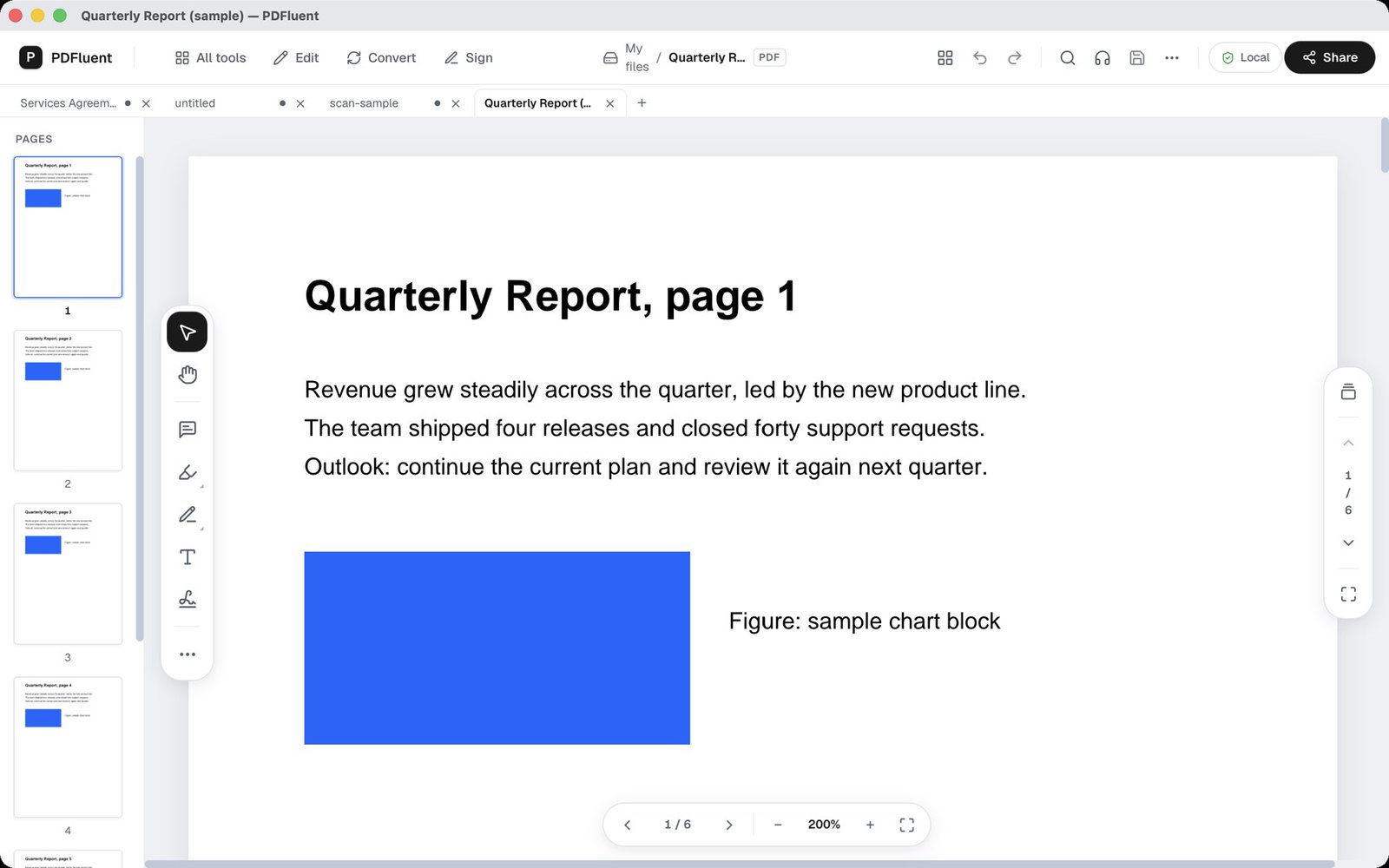
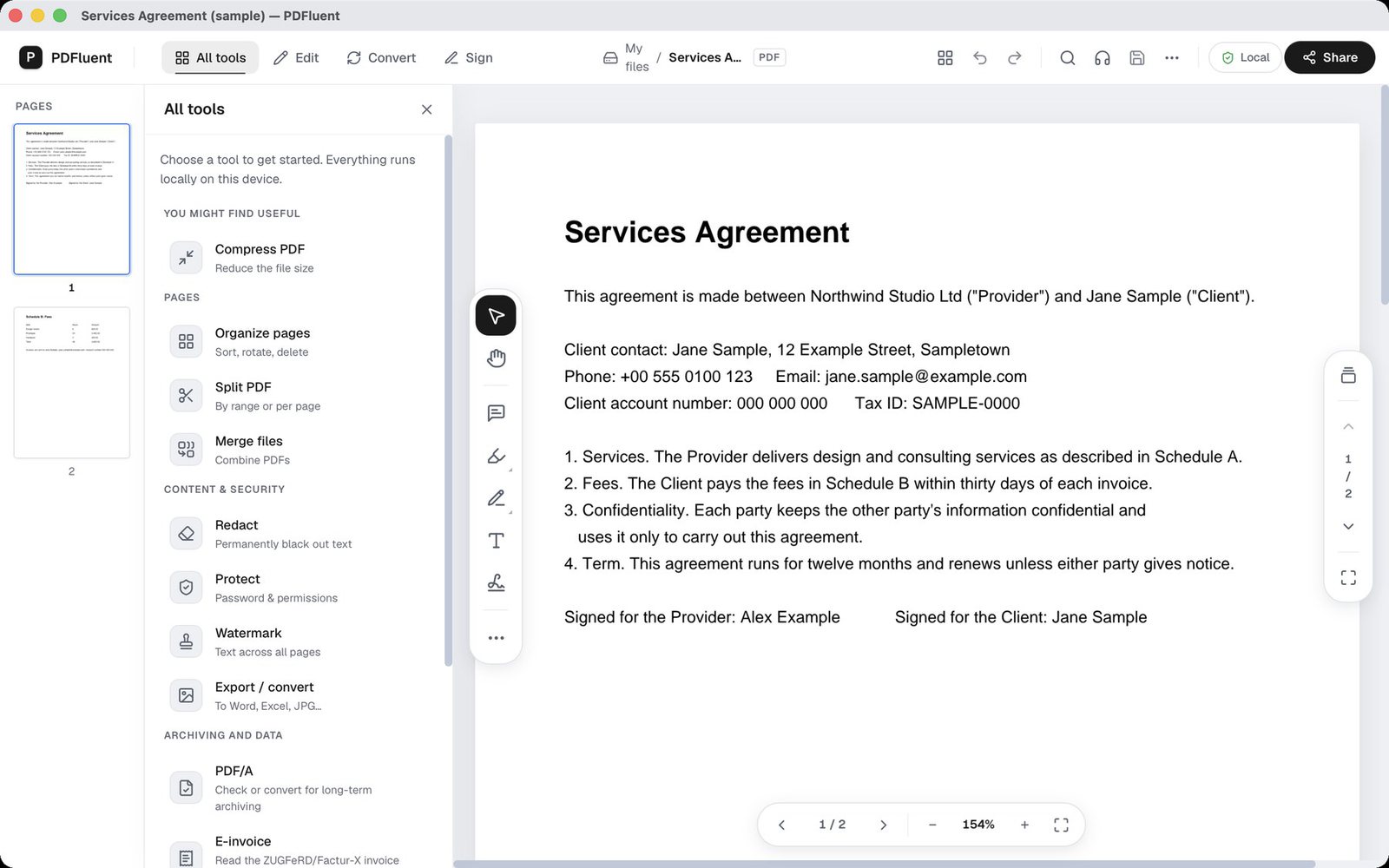
You can open several PDFs at once, and each one gets its own tab [B85, 2026-10-23]. Documents open fitted to the window, and you jump to a page by clicking its thumbnail [B85, 2026-10-23].
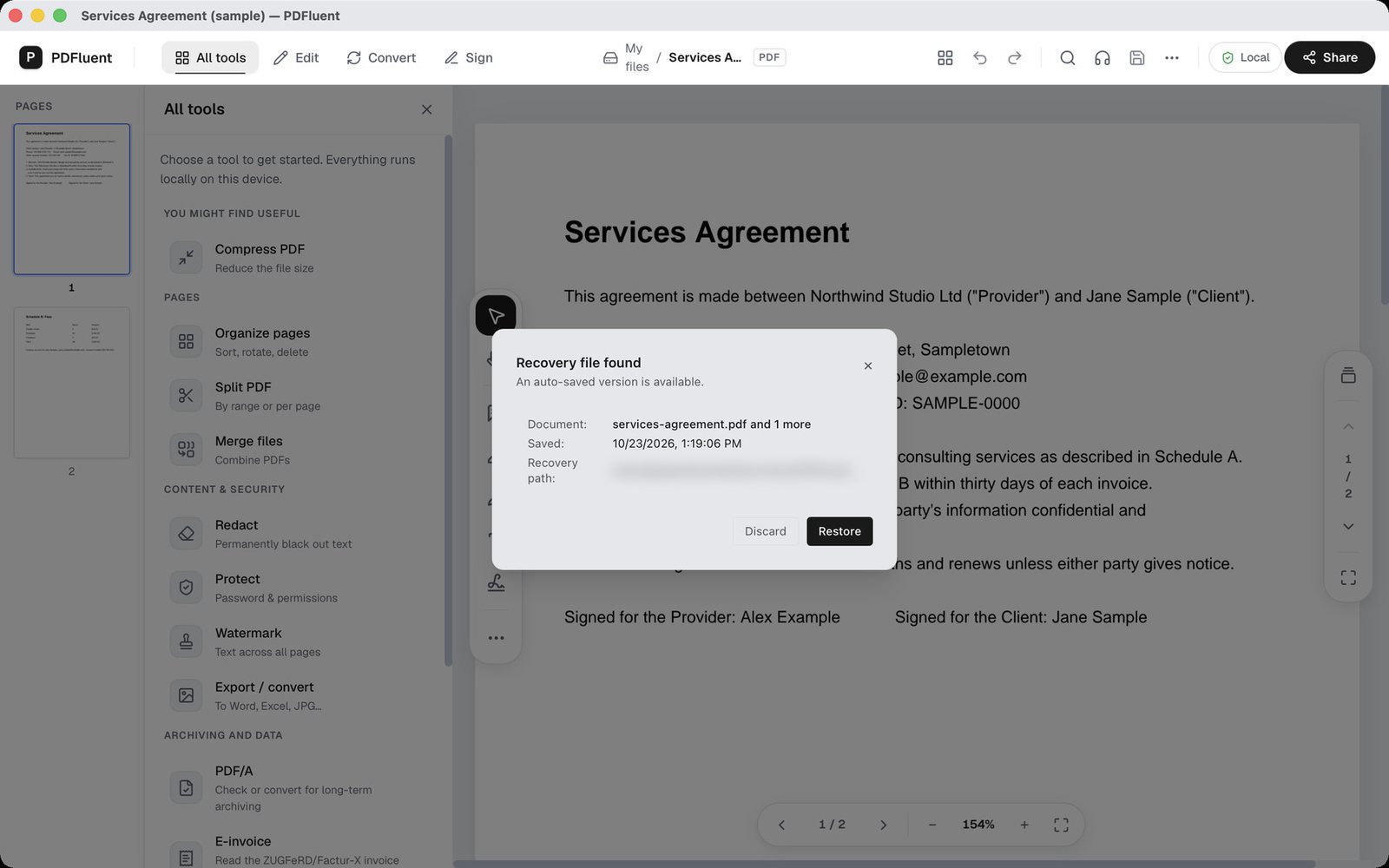
Search, select and copy text, and print, from the same window [B85, 2026-10-23]. If you prefer dark mode, the editor remembers it [B85, 2026-10-23]. A password-protected PDF asks for its password [B85, 2026-10-23]. If the app crashes, it offers your unsaved work back [B85, 2026-10-23].
Edit and mark up
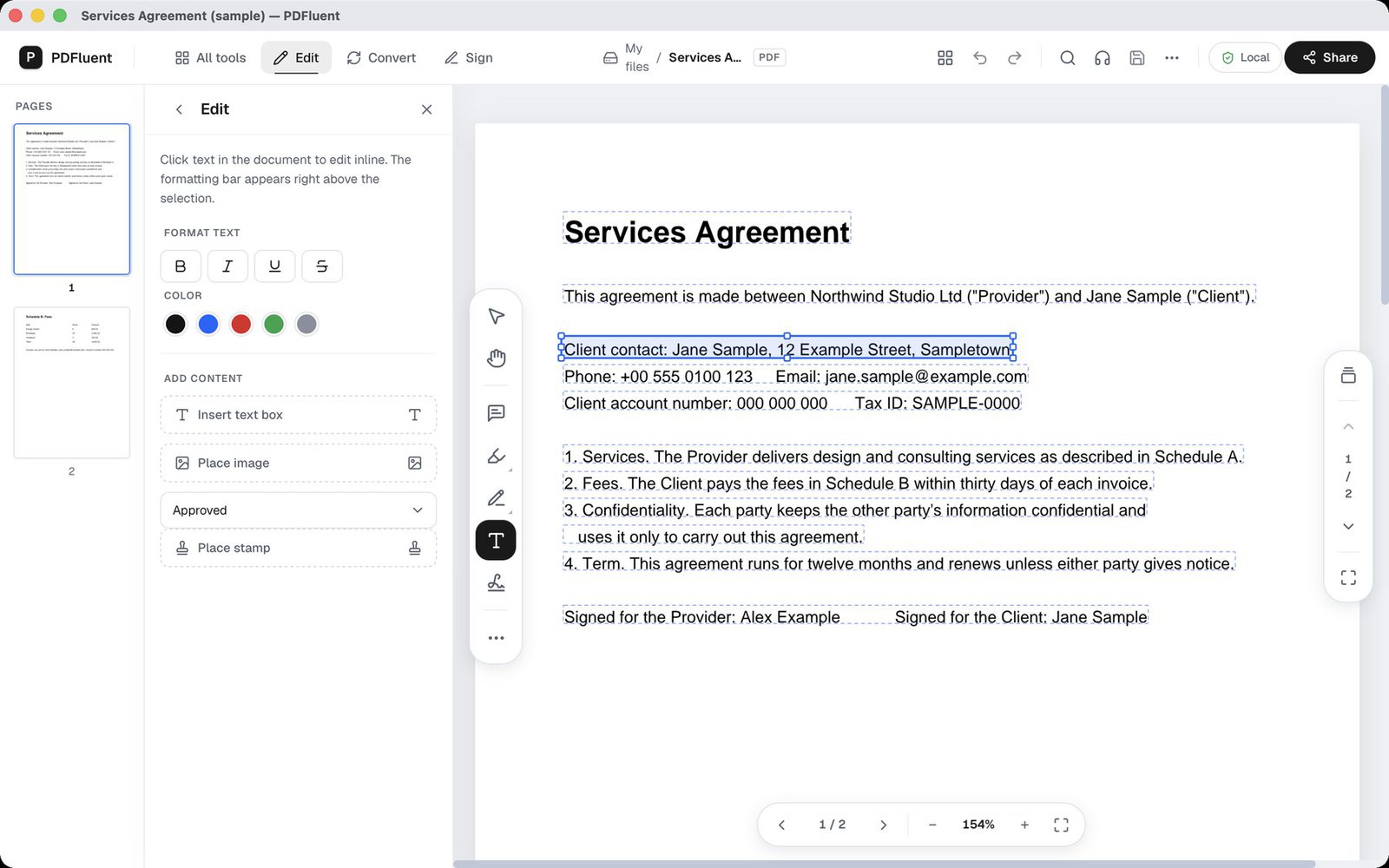
Double-click a line or a paragraph on the page, rewrite it, and save [B76, 2026-10-23]. You pick a font from the fonts installed on your computer, plus the size and colour [B76, 2026-10-23]. Pictures that are already on a page can be moved, replaced or deleted [B77, 2026-10-23].
For review work you can highlight, underline and strike through text, add sticky-note comments, draw freehand and attach a file [B78, 2026-10-23]. A markup is not final once you place it: you can edit or delete an annotation again later [B78, 2026-10-23].
Forms
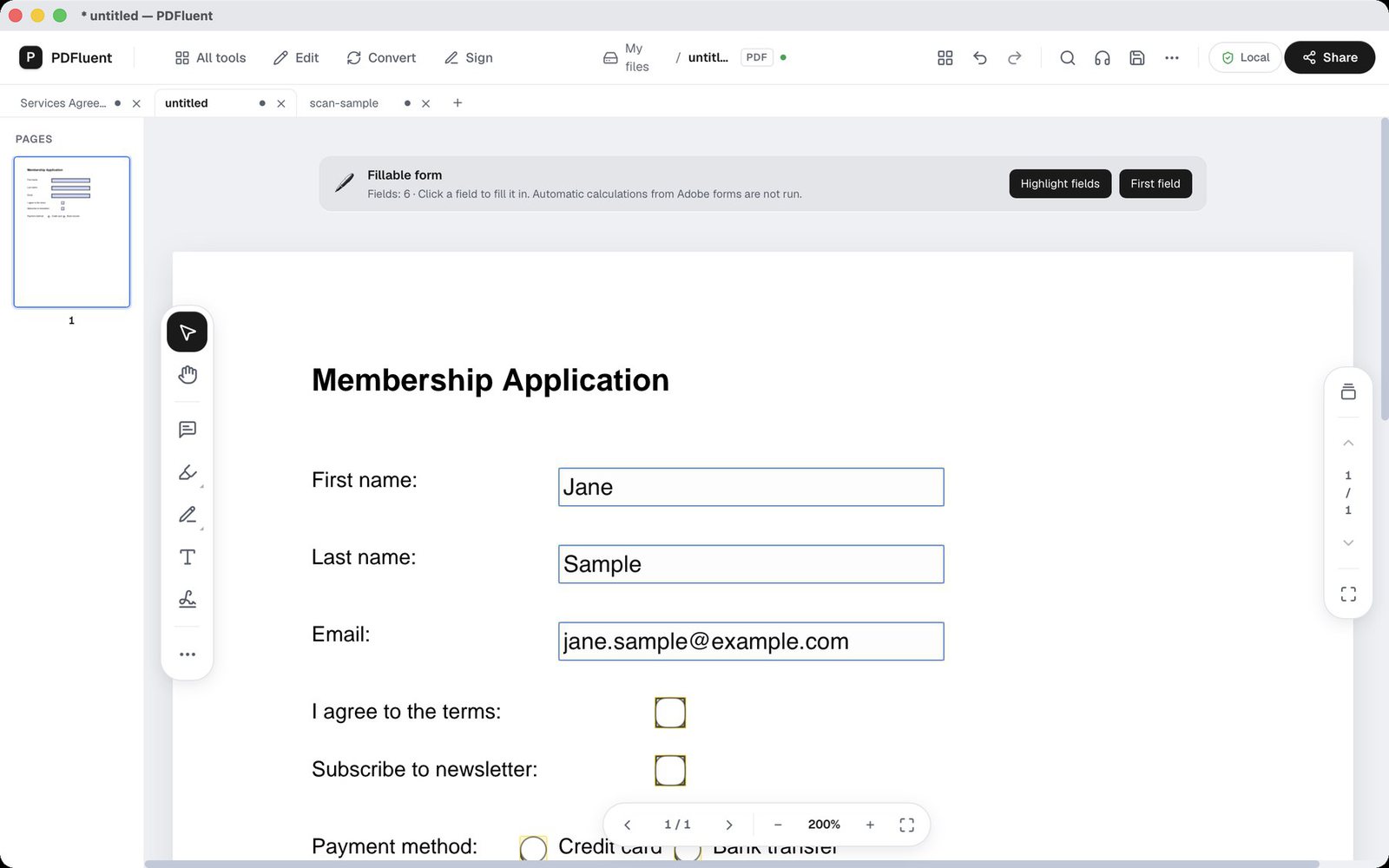
PDFluent fills in PDF forms [B79, 2026-10-23]. Totals and other form calculations work once you allow them [B79, 2026-10-23]. When a form carries scripts, PDFluent asks before anything runs [B79, 2026-10-23].
That question is there on purpose. A script in a form was written by whoever made the file, and I think the choice to run it should be yours, not the file's.
Older XFA forms are covered too. Open one, fill in its fields and save, and the values are in the file when you reopen it [B80, 2026-10-23].
Redaction that removes the text
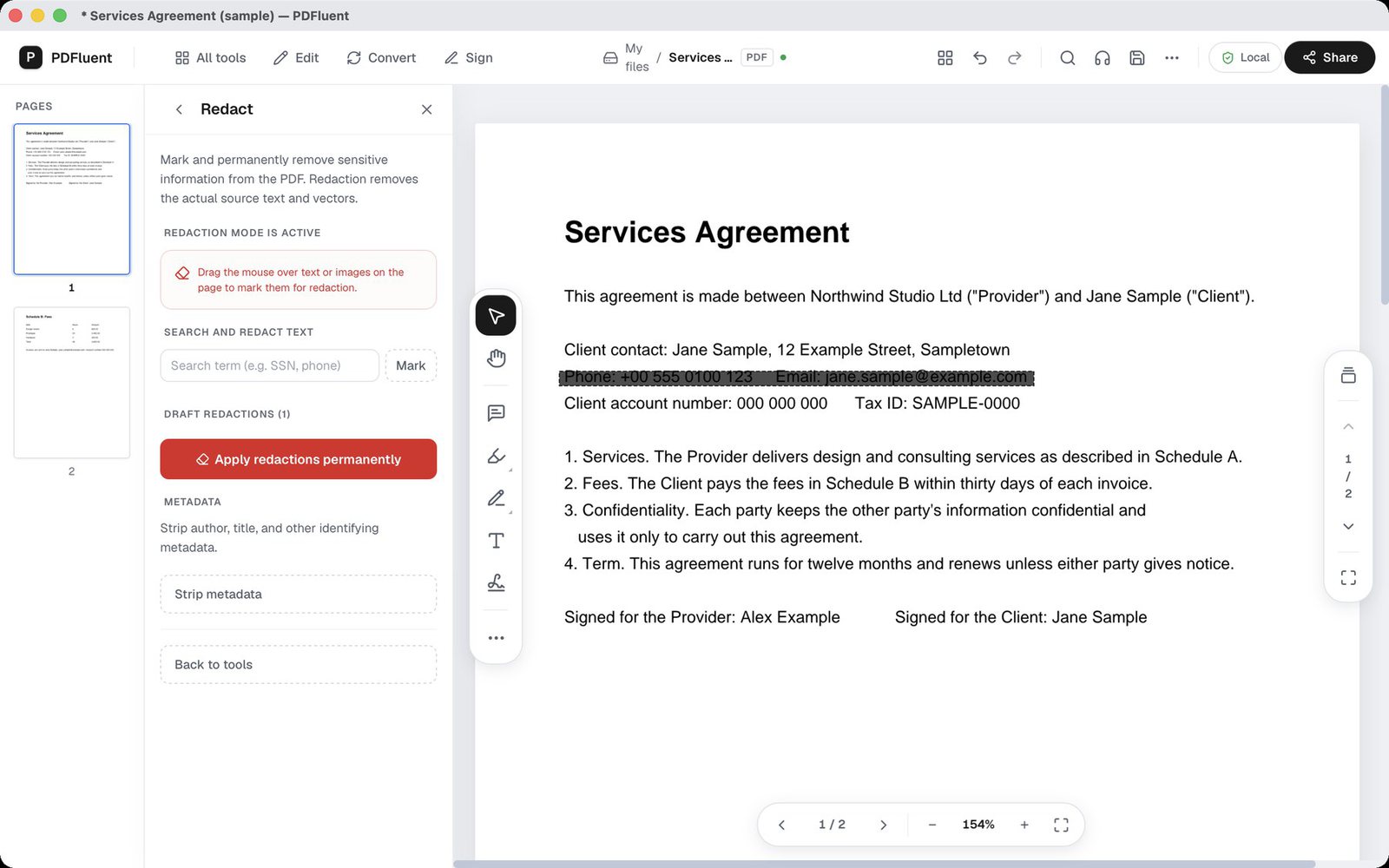
Here is the mistake I see most often. Someone draws a black box over a name or an account number, saves the PDF and sends it. On screen the text is gone. In the file it is still there, under the box. Anyone who receives it can select the text, copy it or search for it, and in many files the box can be moved aside. A box on top of text hides it. It does not remove it.
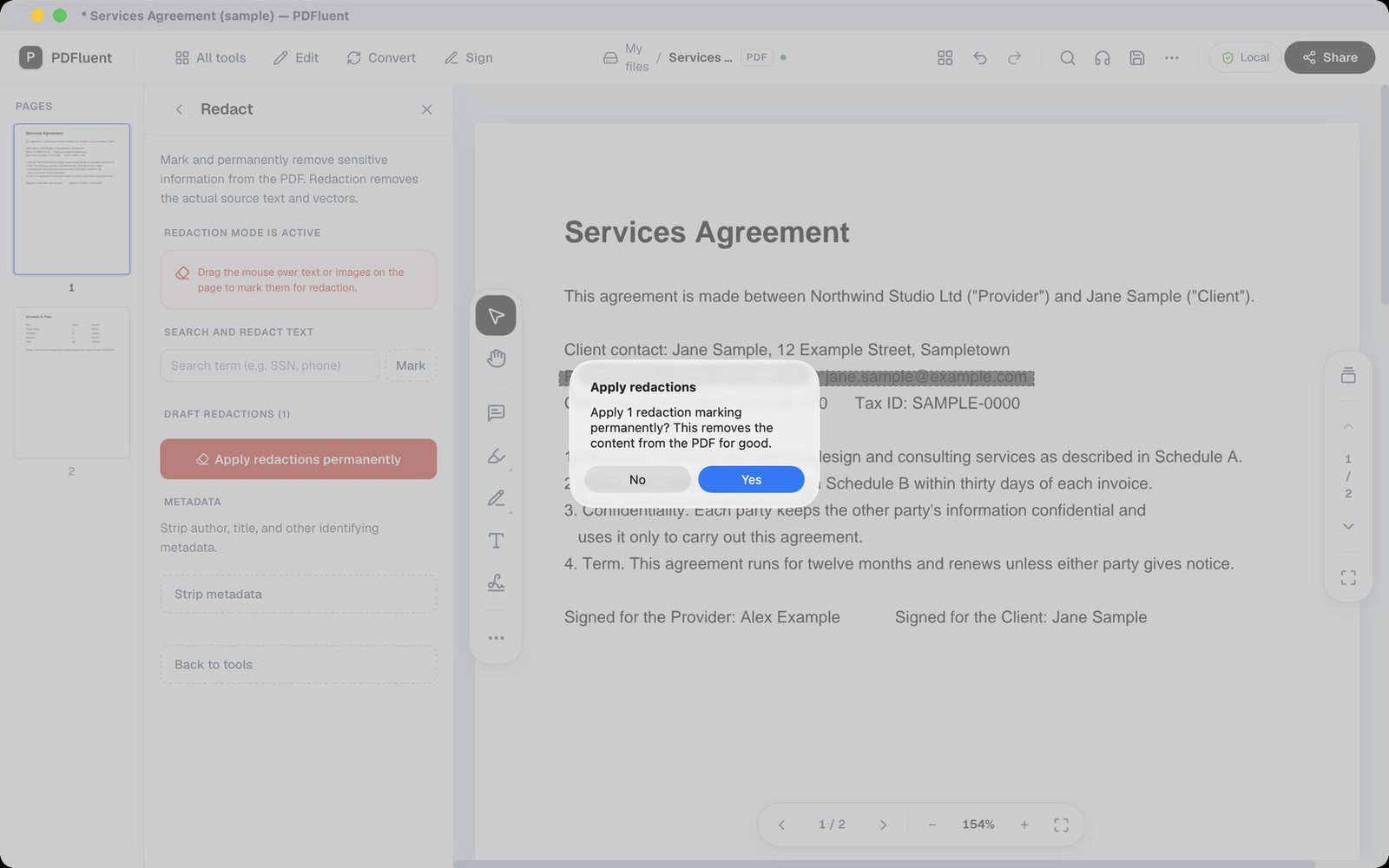
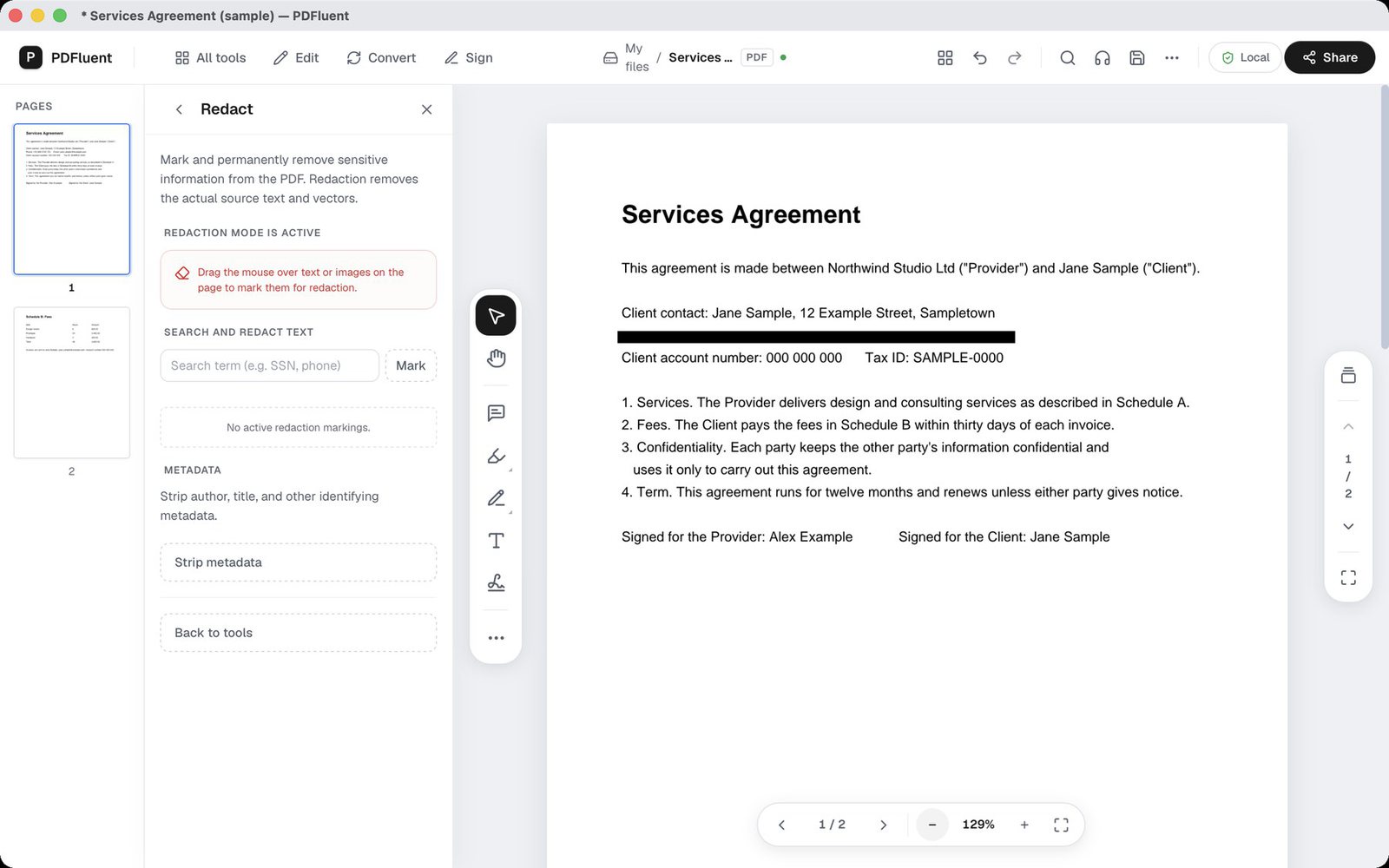
Real redaction takes the text out of the file. In PDFluent you drag over what has to go, and the app asks before it applies the redaction [B83, 2026-10-23]. Once applied and saved, the text is gone from the file [B83, 2026-10-23].
Two habits worth keeping. Save the redacted version as a new file, so the original stays with you. Then search that new file for a word you redacted: if the redaction did its job, the search comes back empty.
Scans and OCR
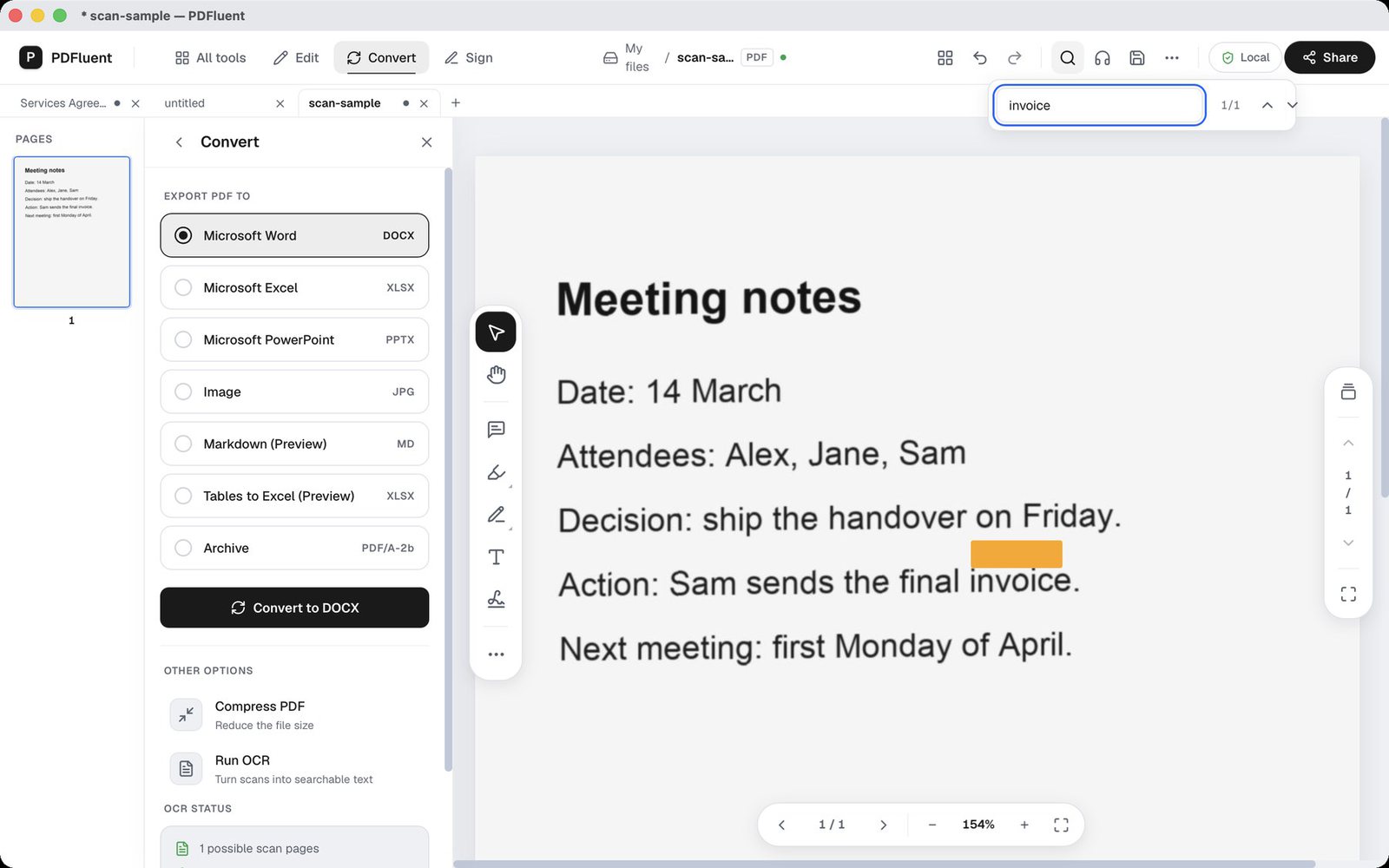
A scanned page is a picture of text. Until something reads it, you cannot search it or copy a sentence out of it. Run OCR on a scanned PDF in PDFluent and it becomes searchable and copyable [B81, 2026-10-23].
OCR is built in, so there is nothing to download [B81, 2026-10-23]. It reads six languages: English, Dutch, German, French, Spanish and Italian [B81, 2026-10-23].
Pages and files
Merge PDFs into one, split a file, or extract the pages you need [B82, 2026-10-23]. Rotate, delete, reorder and insert pages [B82, 2026-10-23].
You can also compress a heavy file, set or remove a password, add a watermark and edit the document properties [B82, 2026-10-23].
Convert and export
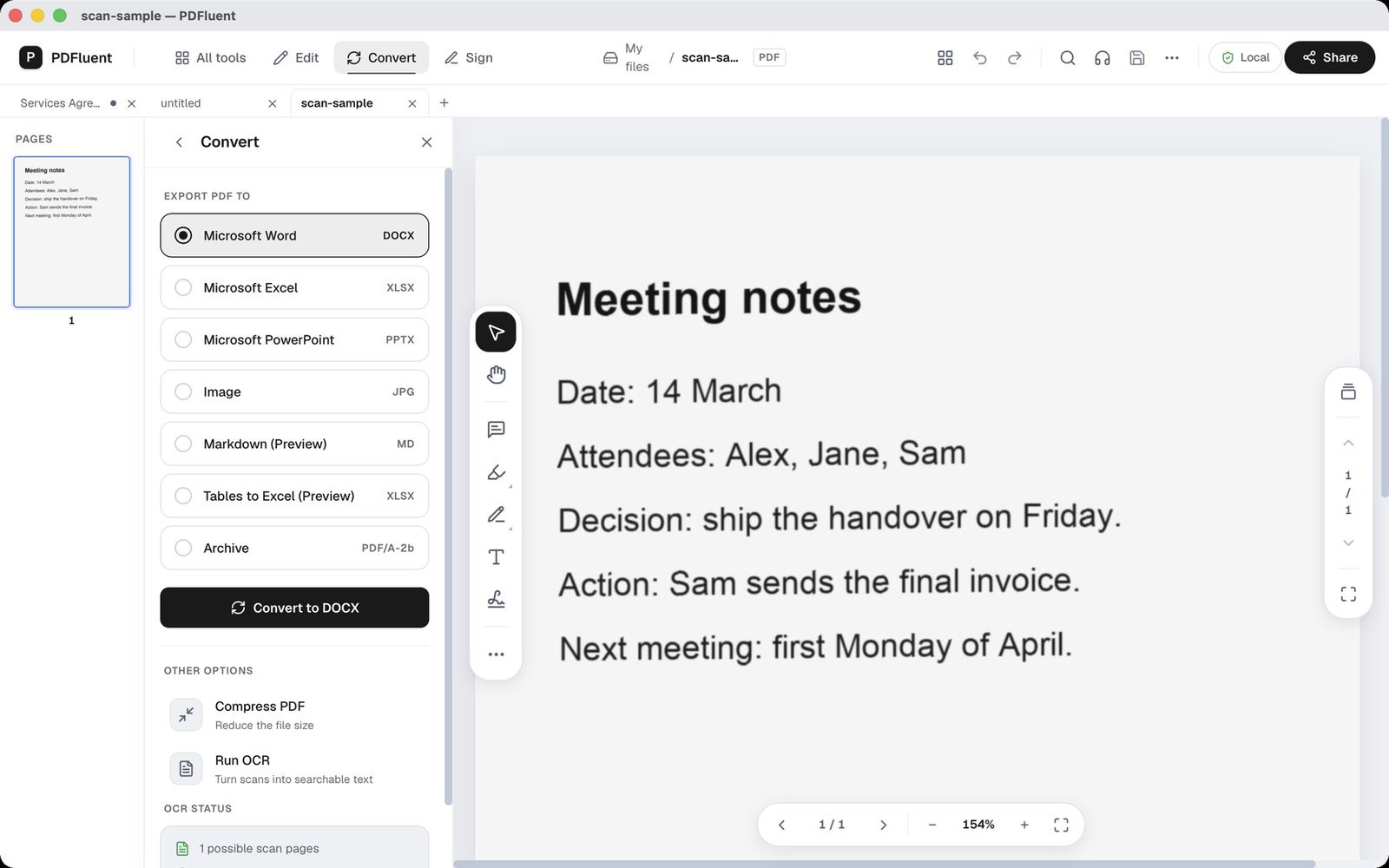
Convert a PDF to Word or PowerPoint, or export pages as PNG or JPEG images [B84, 2026-10-23]. You can also convert a PDF to PDF/A [B84, 2026-10-23].
Two exports carry a Preview label: Markdown, and tables to Excel [B84, 2026-10-23]. Preview means the output quality is still improving [B84, 2026-10-23]. I would rather label them than let the output surprise you.
Sign
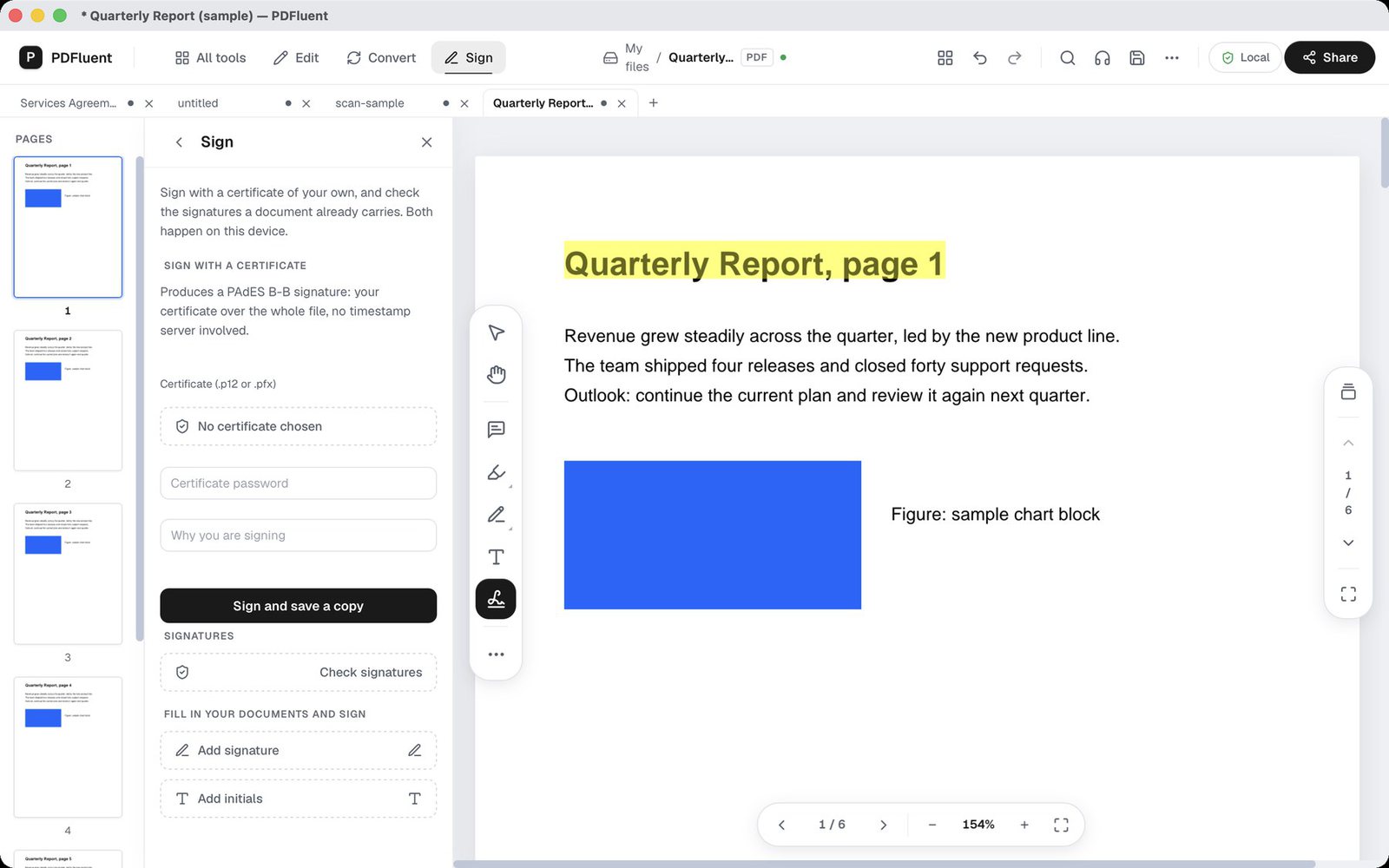
Sign a PDF with a certificate you supply as a .p12 or .pfx file, on your own computer [B27, 2026-09-07]. The editor also shows and verifies the signatures already in a document [B27, 2026-09-07].
Stays on your computer
On macOS, your documents are processed on your computer [B30, 2026-10-23]. The editor works there without an internet connection [B67, 2026-10-23].
The only request the macOS app makes on its own is an optional update check, and you can turn it off in Settings [B30, 2026-10-23]. A crash or feedback report is sent only if you choose to send one [B30, 2026-10-23]. There is no account [B01, 2026-08-19].
New in 1.1
Tabs. You can open several documents at once, each in its own tab [B85, 2026-10-23].
Scripts in forms. They run only after you allow them [B79, 2026-10-23].
Built-in OCR. In 1.0 the OCR component was downloaded once, after you agreed; in 1.1 it is built in, with nothing to download [B81, 2026-10-23].
Download
PDFluent Editor is free for everyone, including commercial and business use, with no account [B01, 2026-08-19]. The interface is available in 27 languages [B26, 2026-09-06].
Questions
Can I use PDFluent Editor at work?
Yes, it is free for everyone, including commercial and business use, and it needs no account [B01, 2026-08-19].
Is the redacted text really removed?
Once a redaction is applied and saved, the text is gone from the file [B83, 2026-10-23]. You drag over what has to go, and the app asks before it applies [B83, 2026-10-23].
Do I need to download anything for OCR?
No, OCR is built in and reads English, Dutch, German, French, Spanish and Italian [B81, 2026-10-23].
Can I fill in an older XFA form?
Yes, open it, fill in its fields and save, and the values are in the file when you reopen it [B80, 2026-10-23].
Does the editor work without an internet connection?
On macOS it does [B67, 2026-10-23]. The only request it makes on its own is an optional update check, which you can turn off in Settings [B30, 2026-10-23].
Which formats can I export to?
Word, PowerPoint, PNG, JPEG and PDF/A, plus Markdown and Excel tables as Preview, which means their output quality is still improving [B84, 2026-10-23].
That is PDFluent Editor 1.1. If something in this post does not match what you see in the app, I want to know, so I can fix the post or the app. Get the editor at pdfluent.com/download.